45
Menu Display
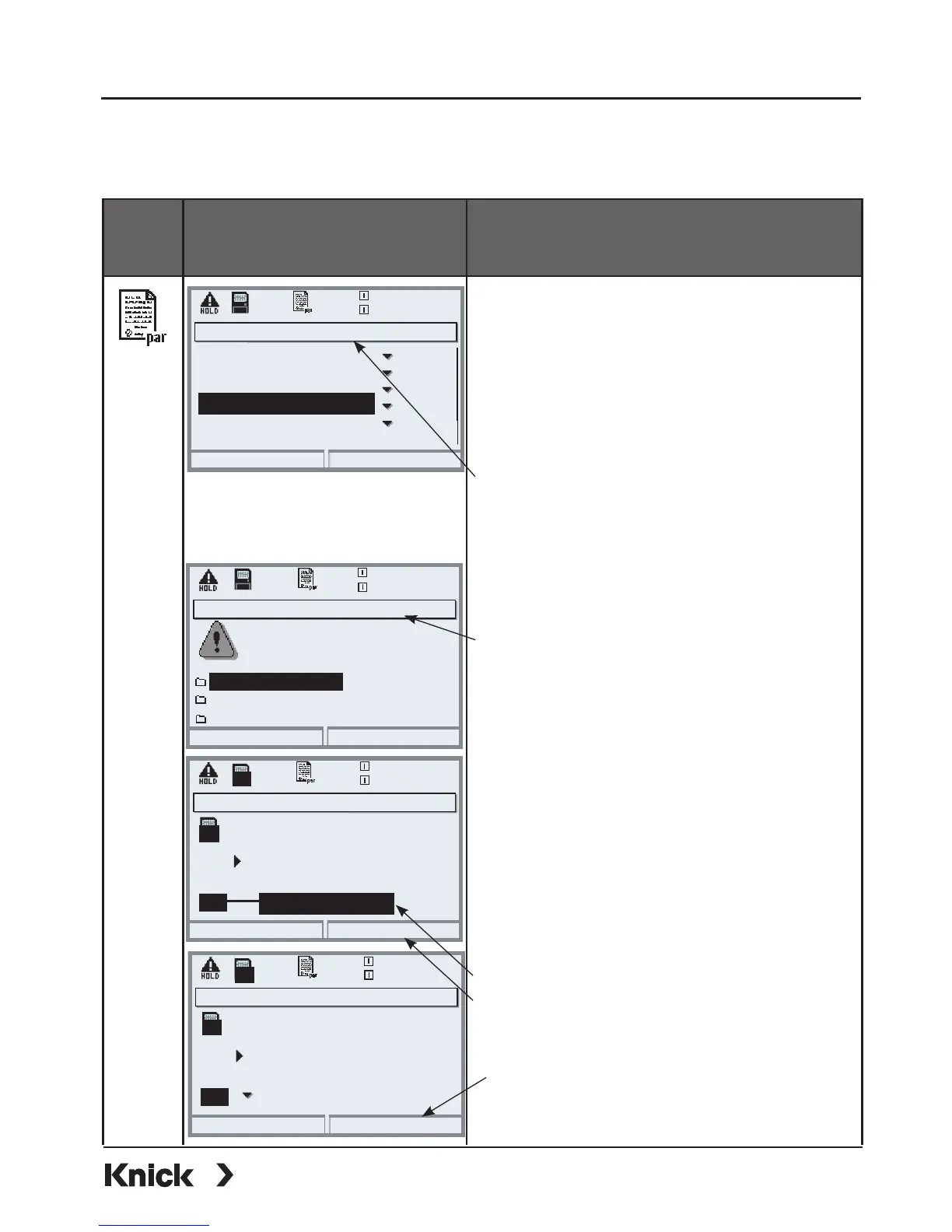
Software update
(“Load firmware”)
Software update (Administrator)
Updating will change the
Return
20.4 °C
device characteristics. Perform
verification as appropriate!
Update firmware
Update firmware (Administrator)
20.4 °C
Save firmware
0.003mS/cm
0.003mS/cm
Select the memory slot for
the chosen firmware
indicates the existing version)
Slot
UP
UP
(
1: SZ34Z10000/0-V1.0
Return
Load firmware
SMARTMEDIA Card: Loading Firmware
Parameter setting/System control/Software update/Load firmware
Format card
Software update
• Insert SmartMedia card (Pg 32)
• Open menu selection
• par, Administrator level
• Enter passcode
• Select System control
1. Select Release of options
(software update SW 3400-106)
Set option to “active”. Enter the TAN
at the prompt. The option is available
after the TAN has been entered.
2. Select Software update
Check whether your unit really
requires a software update.
To read the current software version,
select:
• Diagnostics
• Device description
• FRONT module
Perform update:
• Parameter setting
• System control
• Software update
• Select slot
• Confirm slot with “OK”.
• Press “Load firmware” softkey to
start the software update.
Release of options (Administrator)
25.6 °C
0.003mS/cm
102 Parameter sets
104 Logbook
103 Measurement recorder
106 Software update
Inactive
Inactive
Inactive
Active
107 AuditTrail
Inactive
Return
Update firmware (Administrator)
20.4 °C
0.003mS/cm
Select the memory slot for
the chosen firmware
indicates the existing version)
Slot
UP
(
1: SZ34Z10000/0-V1.0
Abort
OK
UP



 To Next Page