19
Minnesota | Poll Pad Guide
PROCESSING VOTERS | ADVANCED SEARCH
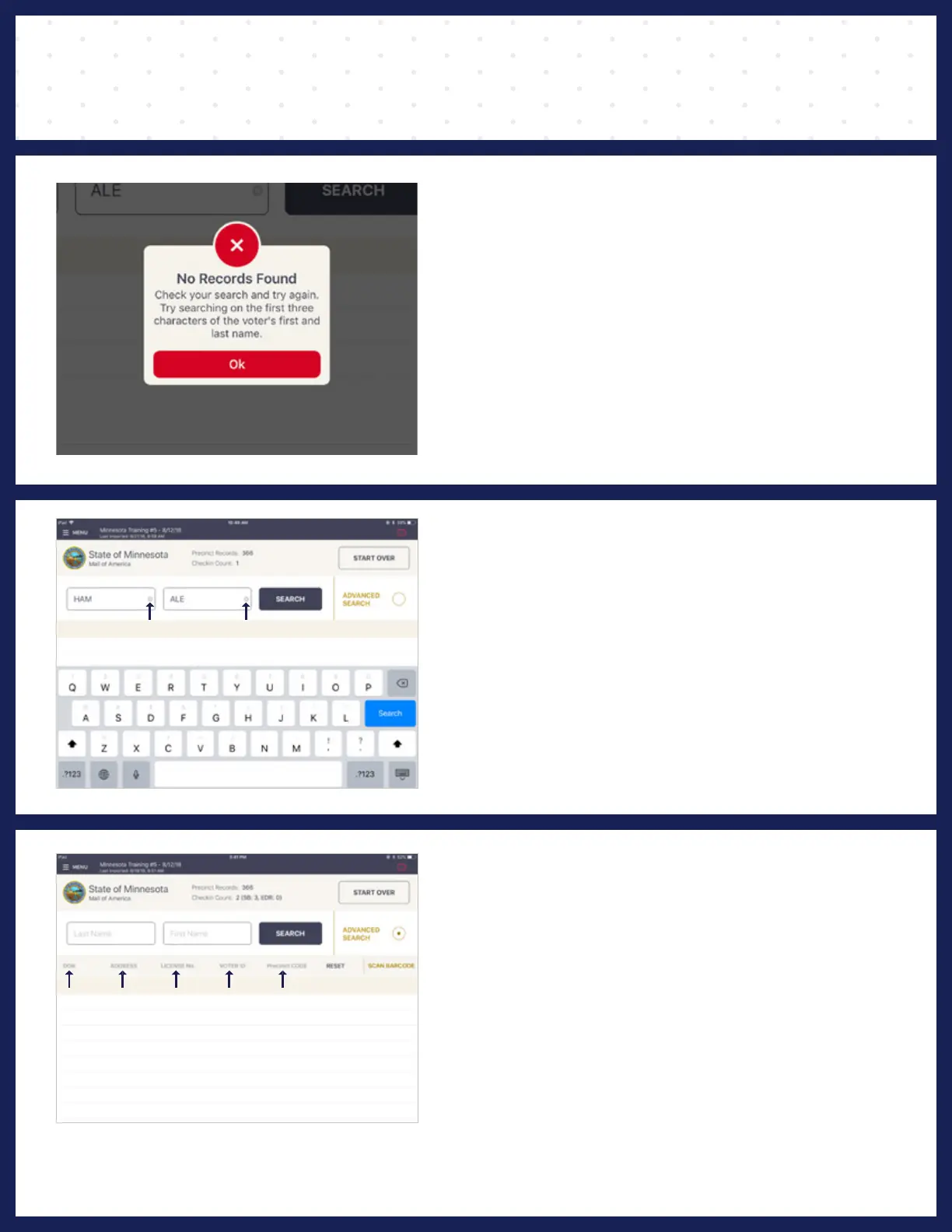
❶ VOTER NOT FOUND
If a voter's record is not found using Manual Entry,
a pop-up will appear reading No Records Found.
Press OK to return to Voter Lookup screen.
❷ ADVANCED SEARCH
Once back on the Voter Lookup Screen,
press the circle next to ADVANCED SEARCH.
NOTE: Clear Name Fields by Pressing X in First and Last Name
Boxes Before Searching
❸ SEARCH BY:
Lookup voter by using DATE OF BIRTH DOB,
ADDRESS, LICENSE NUMBER, VOTER ID, etc.,
press DONE then SEARCH. If voter is found using
Advanced Search, follow same protocol as Manual
Entry to process voter.



 To Next Page