48
Minnesota | Poll Pad Guide
QR CODE & VOTER FILE IMPORT
When a Poll Pad application has been updated from Meraki, it will need re-
establish secure server communication with ePulse by scanning a QR code.
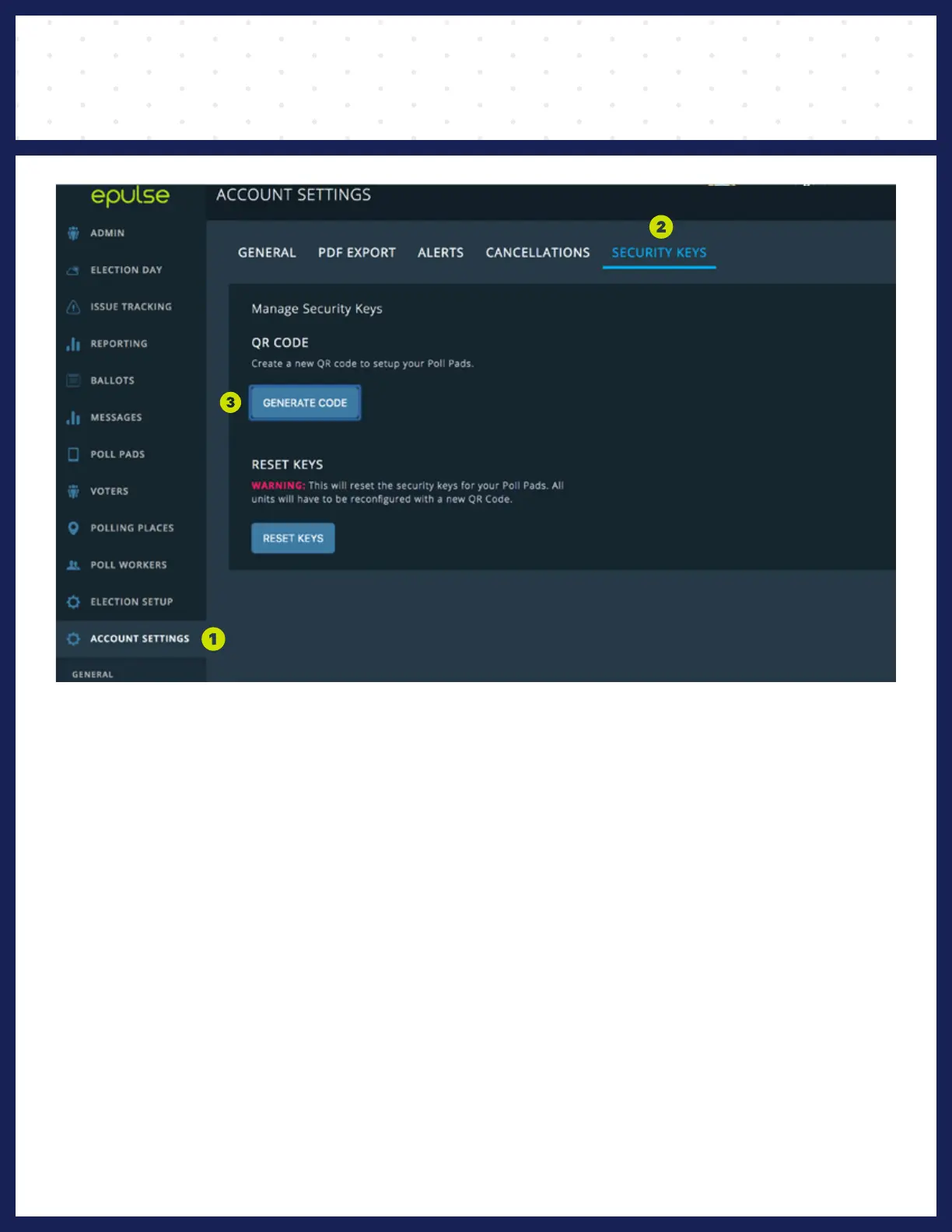
❶ GENERATE QR CODE
❶ Navigate to ACCOUNT SETTINGS > GENERAL
❷ Click SECURITY KEYS
❸ Under QR CODE, click GENERATE CODE
ePulse will generate a code to be scanned by the Poll Pad.
The code can be scanned from the computer screen, or printed off and scanned.
Note: QR codes expire after 24 hours. If your code expires, simply repeat step 1 to generate a new code.



 To Next Page