58
Minnesota | Poll Pad Guide
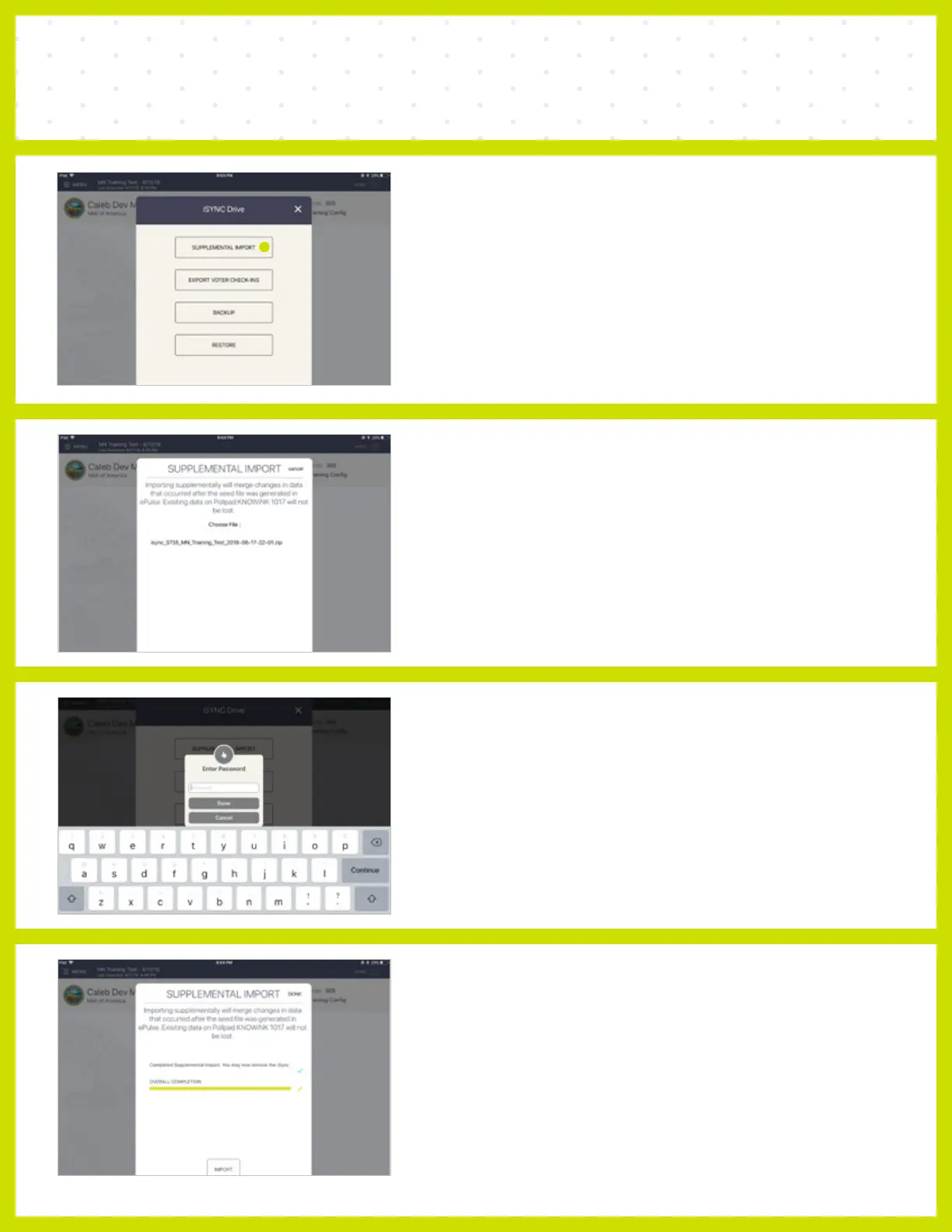
SUPPLEMENTAL FILE UPLOAD USING i SYNC
❶ SUPPLEMENTAL IMPORT
Insert iSYNC into Poll Pad via the lightning port.
iSYNC Drive pop-up menu will automatically
display on screen.
Select SUPPLEMENTAL IMPORT.
❷ CHOOSE FILE
Under Choose File, select the correct iSYNC file
(verify name of file).
❸ ENTER PASSWORD
Enter the Extra Functions Password (password
will be provided to you.)
❹ PRE ELECTION
File will import. When file has successfully
imported, the Poll Pad will display: Completed
Supplemental Import. You may now remove the
iSYNC. Click DONE.



 To Next Page