38
Minnesota | Poll Pad Guide
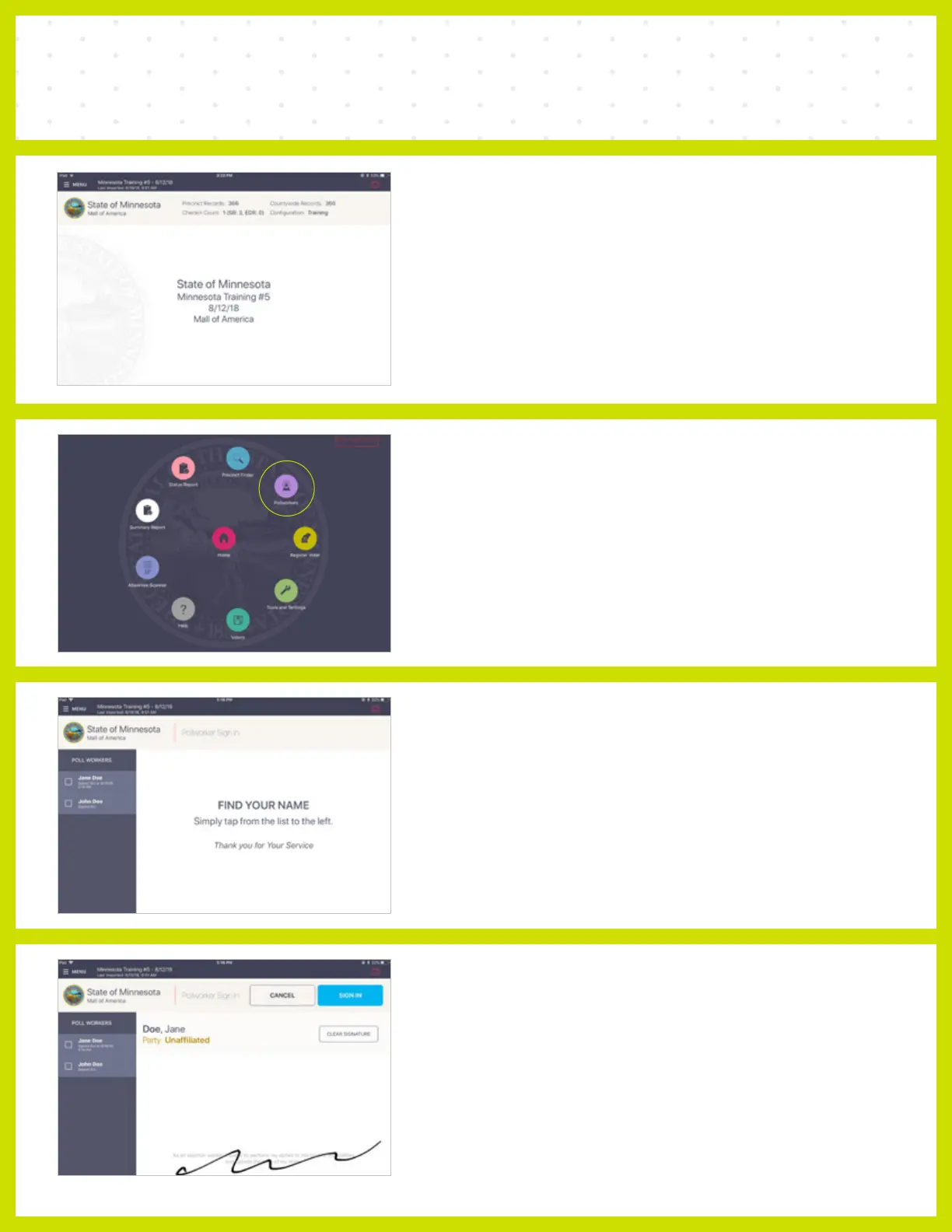
POLL WORKER SIGN IN
❶ SELECT MENU
Select the Menu button in the upper left corner.
NOTE The Poll Worker module does not require connectivity.
❷ POLL WORKERS
Select Poll Workers.
❸ FIND NAME
Find your name listed on the left side of the menu
and tap in the box.
❹ SIGN IN
Confirm information and oath, then sign. Press
SIGN IN to finish signing in.



 To Next Page