35
Minnesota | Poll Pad Guide
❸ PRINT LOCATION
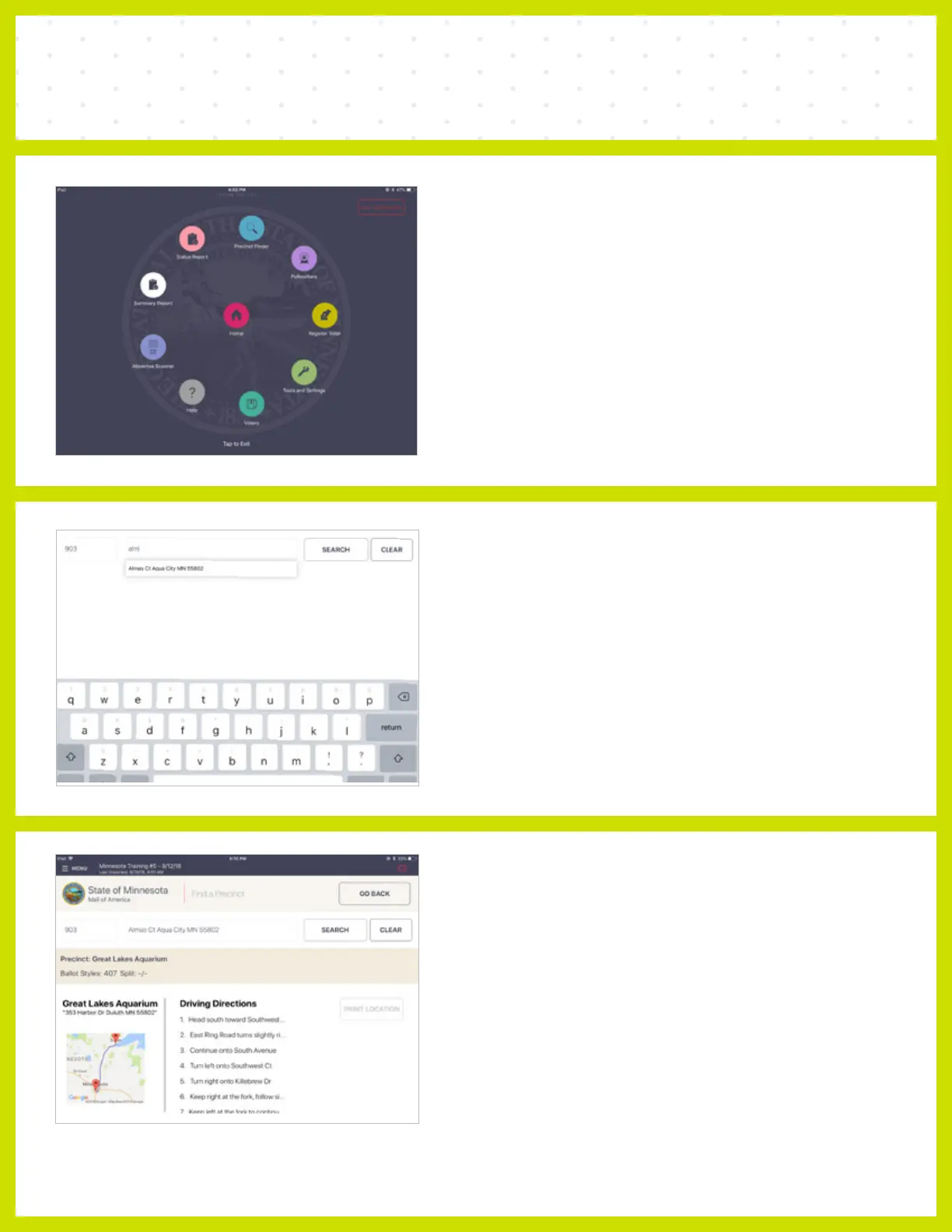
Press Print Location. Present voter with slip with
name and address of correct polling location.
PRECINCT FINDER
❶ MENU
To access Precinct Finder contained in the
Poll Pad, press MENU > Precinct Finder.
❷ ENTER ADDRESS
Enter voter's residential address. Once the house
number is entered, the street name will auto-
populate once you begin typing. Select the correct
address from the populated drop-down menu,
then press Search.



 To Next Page