43
Minnesota | Poll Pad Guide
MARK VOTER ABSENTEE MANUALLY
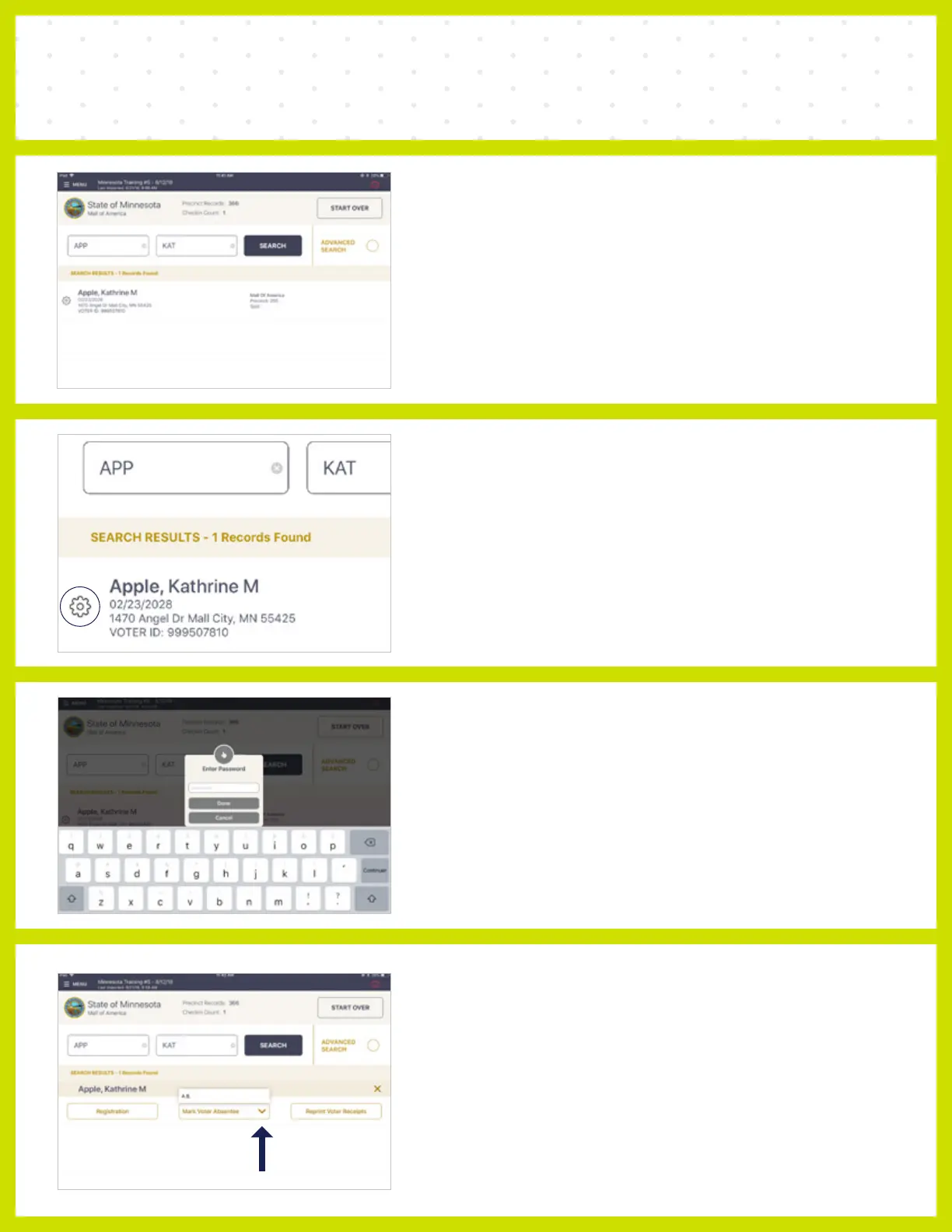
❶ LOOK UP VOTER
Look up voter needed to mark as absentee. Enter
the first three letters of last and first names.
❷ PRESS SETTINGS BUTTON
Press the Settings icon which is located beside
first letter of voter's last name.
❸ ENTER PASSWORD
Enter the Extra Functions Password (password
will be provided to you.)
❹ MARK VOTER ABSENTEE
Press Mark Voter Absentee and select A.B. from
the popup list.



 To Next Page