53
Minnesota | Poll Pad Guide
MANUALLY IMPORTING A VOTER FILE
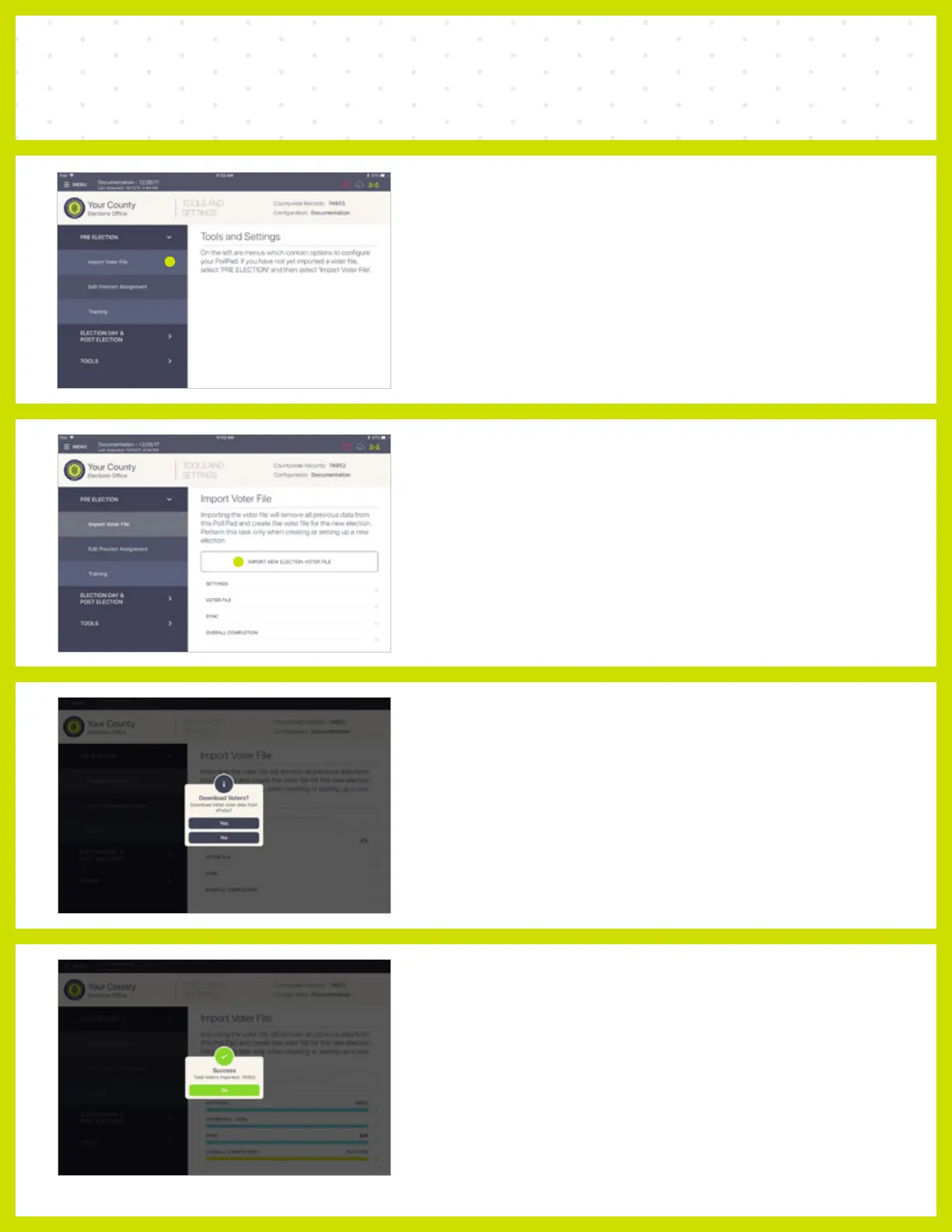
❺ IMPORT VOTER FILE
Select Import Voter File under the PRE
ELECTION drop down menu.
❻ IMPORT NEW ELECTION
VOTER FILE
Select IMPORT NEW ELECTION VOTER FILE on
the right side of the screen.
❼ DOWNLOAD VOTERS?
When asked to 'Download initial voter data from
ePulse?' select Yes.
❽ SUCCESS
When complete a 'Success' message will appear.
Verify the number of Total Voters Imported and
press Ok.



 To Next Page