13
9. SETUP WEB PAGE
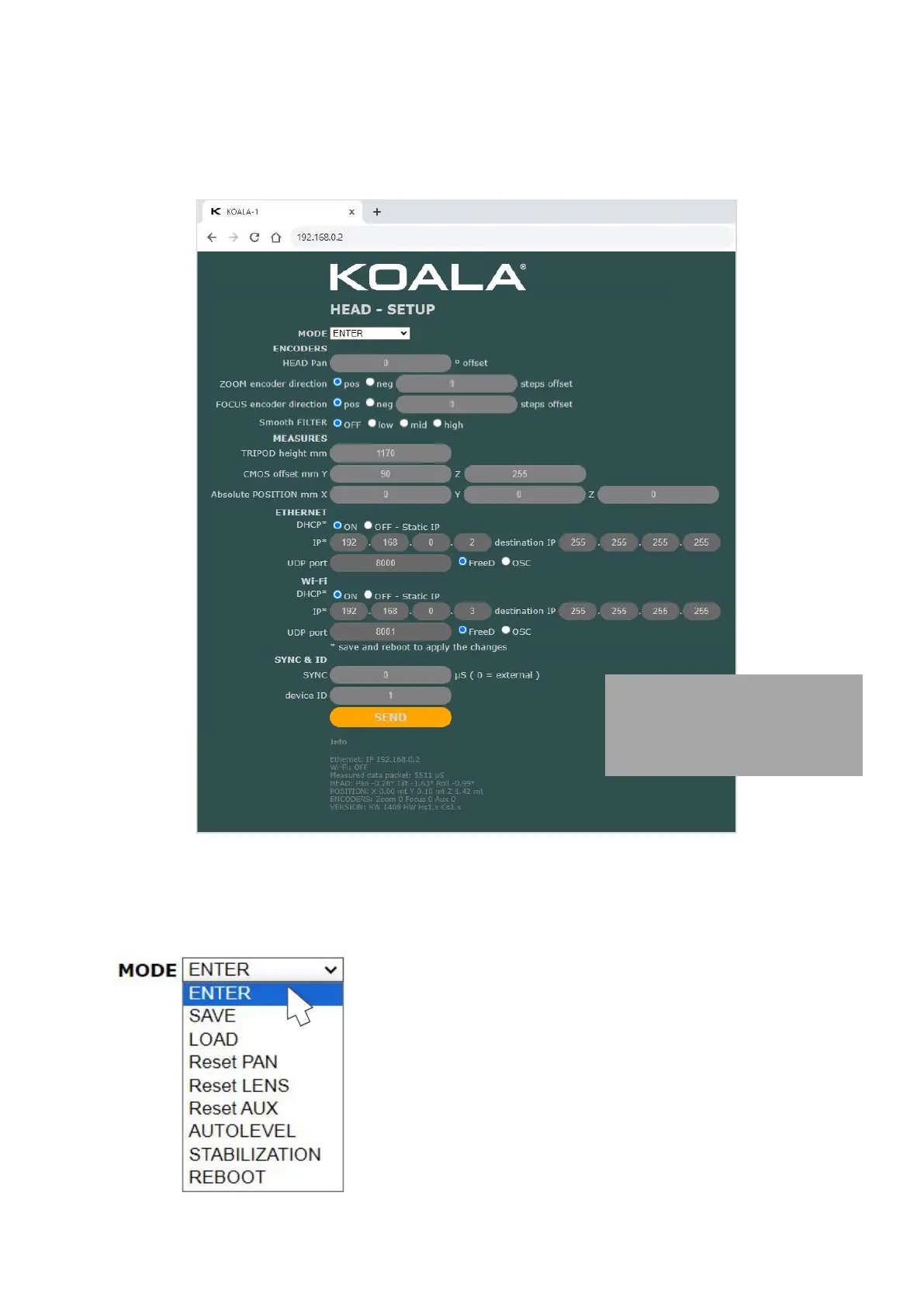
Connect KOALA to your Ethernet or Wi-Fi, and then open the KOALA's IP in a browser to access the SETUP
WEB PAGE. (KOALA's IP is displayed in SERVICE MENU > NETWORK)
Set the MODE from dropdown menu then click “SEND” button to execute.
Use this mode for TEST new data (e.g. measures)
or refresh INFO data
SAVE permanently data in KOALA
Set Pan orientation to initial value
Set Zoom and Focus encoders count to initial value
function to level the values of tilt and roll
Start procedure to stabilize the drift
this is the setup page of the
"HEAD" version, the page
changes slightly in the LENS or
CRANE versions


 To Next Page