17
14. RESET PROCEDURES
The reset procedure is used to set PAN, LENS, and AUX separately to their initial values.
The reset can be performed either through SETUP MENU > RESET or from SETUP WEB PAGE by selecting the
corresponding function from the dropdown menu.
a. PAN
Align the camera with the front of the set when the PAN offset is set to 0. If, for various reasons like
obstacles or convenience, this alignment is not possible, reset the position by applying a PAN offset in the
SETUP WEB PAGE. Follow the reset procedure as outlined on the display.
Please note that when using KOALA in HEAD or CRANE mode, the camera positioning for the reset will
vary depending on the configured offsets.
b. LENS
Based on the settings determined in the LENS ENCODER section, bring ZOOM and FOCUS to their starting
positions and initiate the reset.
c. AUX
The AUX encoder should be brought to its initial position before performing the reset.
In TELESCOPIC mode, set the length to minimum and reset.
In SLIDER mode, place the camera in the center of the slider and reset.
NOTE: It is recommended to execute the PAN reset following the WARM-UP phase to ensure the
stabilization of KOALA sensors.
15. WARM-UP AND STABILIZATION
a. WARM-UP
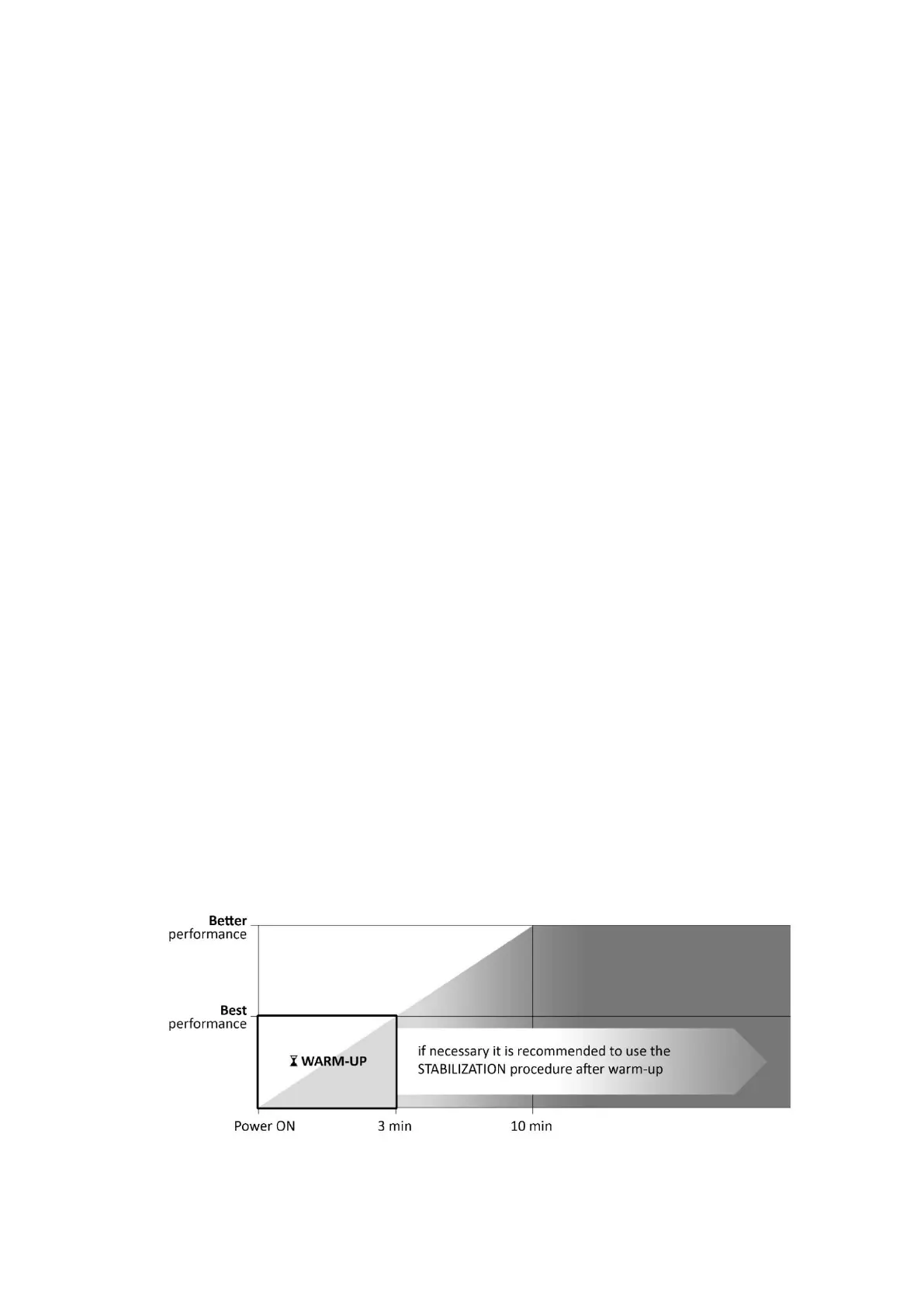
KOALA needs a warm-up time of about 3 minutes for best performance, and after 10 minutes even better.
During the first warm-up phase (3 minutes) the LED B will flash green from slow to fast until the end of the
procedure and a filling hourglass icon will appear on the display.
Use KOALA during this early stage is not recommended for best performance.
NOTE: Power ON KOALA while it is stationary. This ensures accurate and stable data from KOALA right
from the initial stages of use. Otherwise, it is advisable to remove the power, wait for a moment, and
then power ON KOALA when it is not in motion.


 To Next Page