7
5. SETUP AND SERVICE MENU
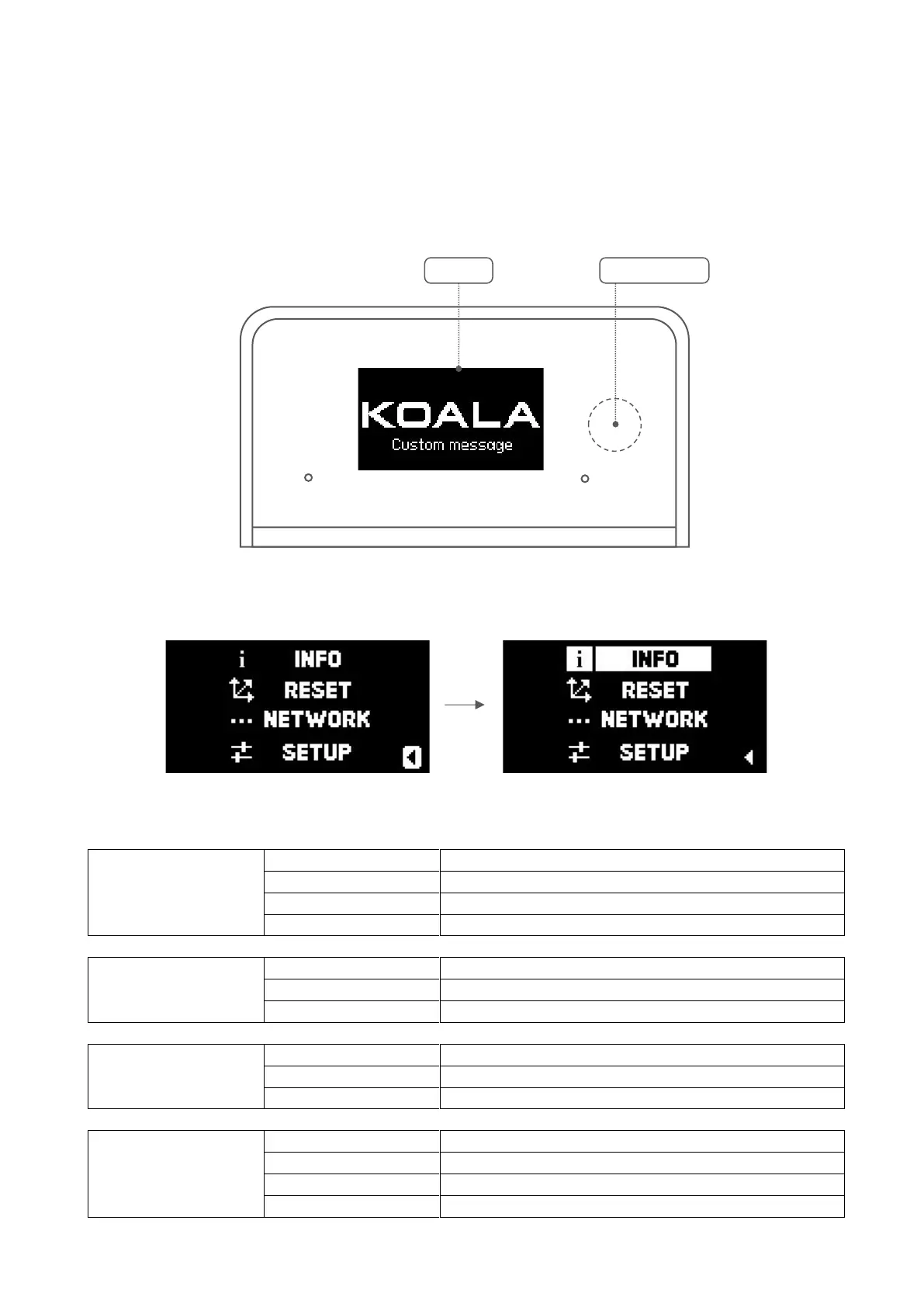
Through the touch button located on the right side of the display, you can interact with the menu and its
corresponding functions.
SHORT TOUCH – SELECT
LONG TOUCH – CONFIRM
A short touch on the button reveals the menu, scroll through functions with quick presses, and access them
with a long touch of the button
a. SETUP MENU
Show real time tracking data and sync status
Show parameters and offset
Show some real time tracking data in graphics mode
Show version of software and hardware
Reset ZOOM and FOCUS procedure
Show Ethernet info (IP, destination IP, port and type)
Show Wi-Fi info (IP, destination IP, port and type)
Run Stabilization procedure / Auto stabilization on-off
Enable or disable display Screen saver


 To Next Page