EasyManua.ls Logo

Koala LENS - Service Menu; Installation and Measures; Mount Koala

Koala LENS
20 pages
Print Icon
To Next Page IconTo Next Page
To Previous Page IconTo Previous Page
Loading...
8
b. SERVICE MENU
NETWORK
AP MODE ON/OFF
Enable or disable Access Point Mode (Wi-Fi)
RESET TO DEFAULT
Reset Ethernet and Wi-Fi parameters to default
IP
Show Ethernet IP
IP - SSID
Show Wi-Fi IP and SSID
SENSOR
MOUNT
Change MOUNT position (display LEFT or RIGHT)
MODE
Change MODE
(LENS, HEAD, CRANE, TELESCOPIC, SLIDER)
INTERFERENCE TEST
Real-time verification of magnetic interference
RECALIBRATION
Recalibration sensor (follow this procedure carefully!)
LICENSES
SERIAL CODE
Show CODE for licenses
LENS, HEAD, CRANE,
TELESCOPIC & SLIDER
Show licenses STATUS
RESET / UPDATE
FACTORY RESET
Reset to default all parameters (Excluding licenses)
OTA UPDATE
Run OTA Update
6. INSTALLATION AND MEASURES
a. MOUNT KOALA
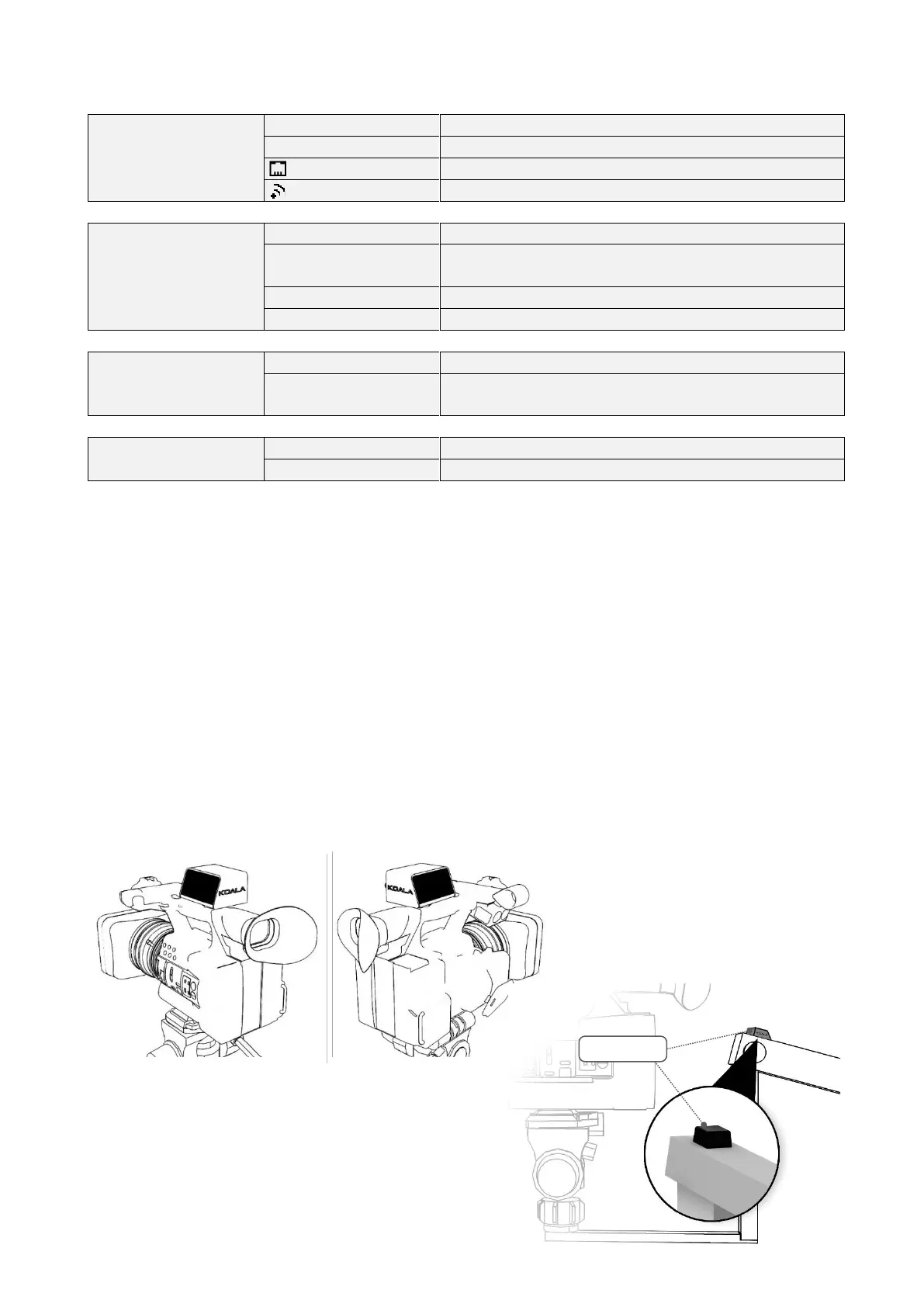
Use the hot-shoe adapter in the designated guide or the straps in the respective slots and securely mount
KOALA on the top of the camera or in an easily accessible position.
Under SERVICE MENU > SENSOR > MOUNT set the KOALA position based on the display orientation: LEFT
or RIGHT relative to the camera.
The OPTION should be mounted on the outermost part of the arm with the connectors facing forward.
Check for magnetic interference, which could reduce tracking stability and accuracy, using the function
found in SERVICE MENU > SENSOR > INTERFERENCE TEST (see section 16.d)
LEFT RIGHT

CONNECTORS
OPTION