EasyManua.ls Logo

Koala LENS - Led Status and Icons

Koala LENS
20 pages
Print Icon
To Next Page IconTo Next Page
To Previous Page IconTo Previous Page
Loading...
15
11. LED STATUS AND ICONS
The LEDs provide at-a-glance indications of specific KOALA activities
LED A (left)
RED
POWER ON
LED B (right)
RED
SYNC FAIL (no OUTPUT data, SYNC & ID)
BLUE flash every 2”
OUTPUT data
2 fast RED flashes
SAVE parameters (from WEB PAGE)
2 fast GREEN flashes
LOAD parameters (from WEB PAGE)
RED-GREEN-BLUE
REBOOT process
PURPLE - 2 flashes
Wi-Fi connection process
WHITE
AUTOLEVEL and RESET functions
WHITE flashes
STABILIZATION or RECALIBRATION process
GREEN slow blink
WARMUP in progress
YELLOW flashes
OTA UPDATE in progress
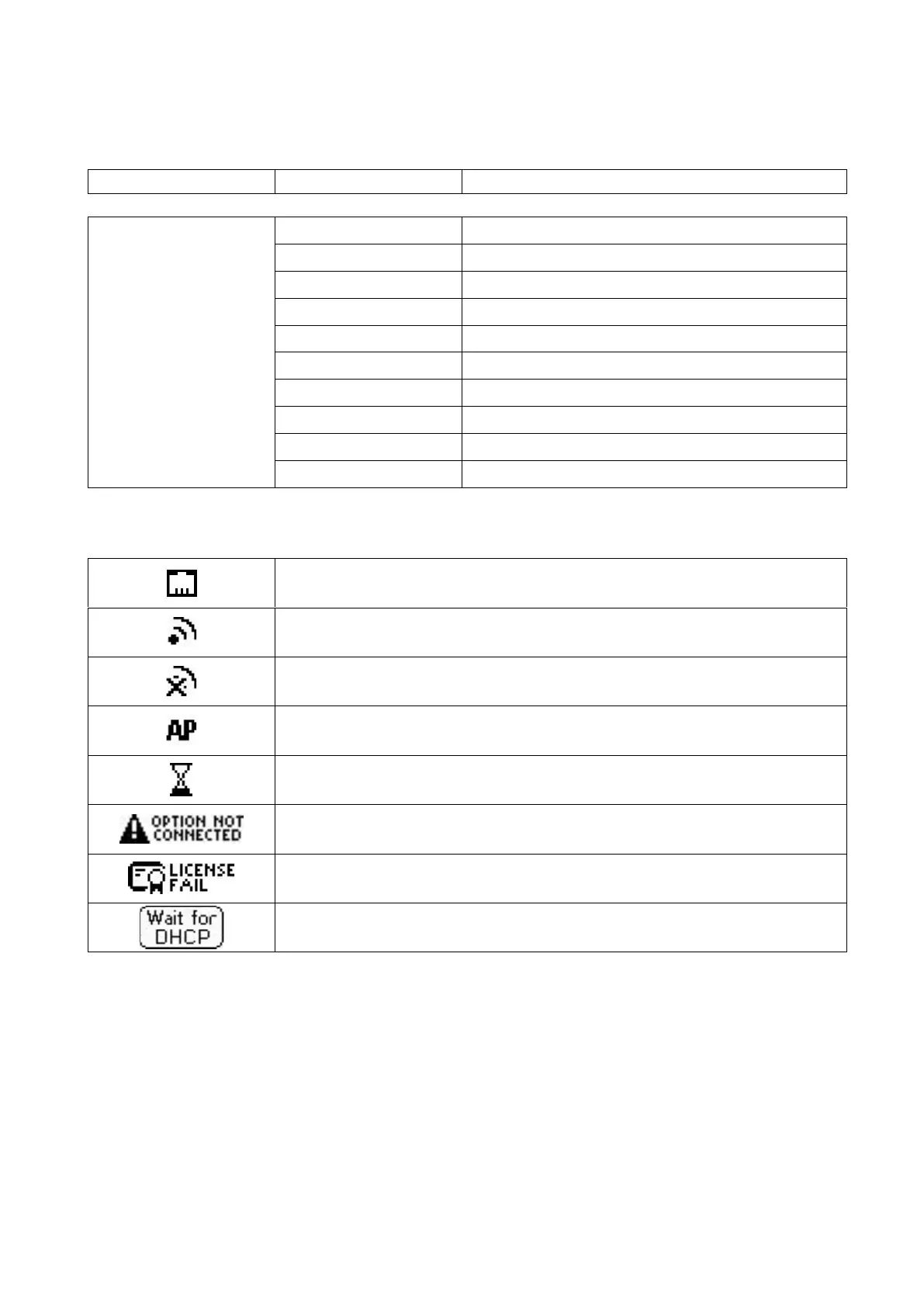
The display shows notification icons, explained below
ETHERNET cable connected
Wi-Fi is ON and connected
Wi-Fi is ON and disconnected
Wi-Fi is ON in Access Point mode
WARMUP in progress
OPTION unit not connected (in CRANE, TELESCOPIC or SLIDER mode)
LICENSE FAIL (or MODE selected not licensed)

ETHERNET is waiting DHCP