Support
Paper Jam
The paper did not advance or was not picked properly from the paper tray.
1 Open the paper trays and remove the paper supply.
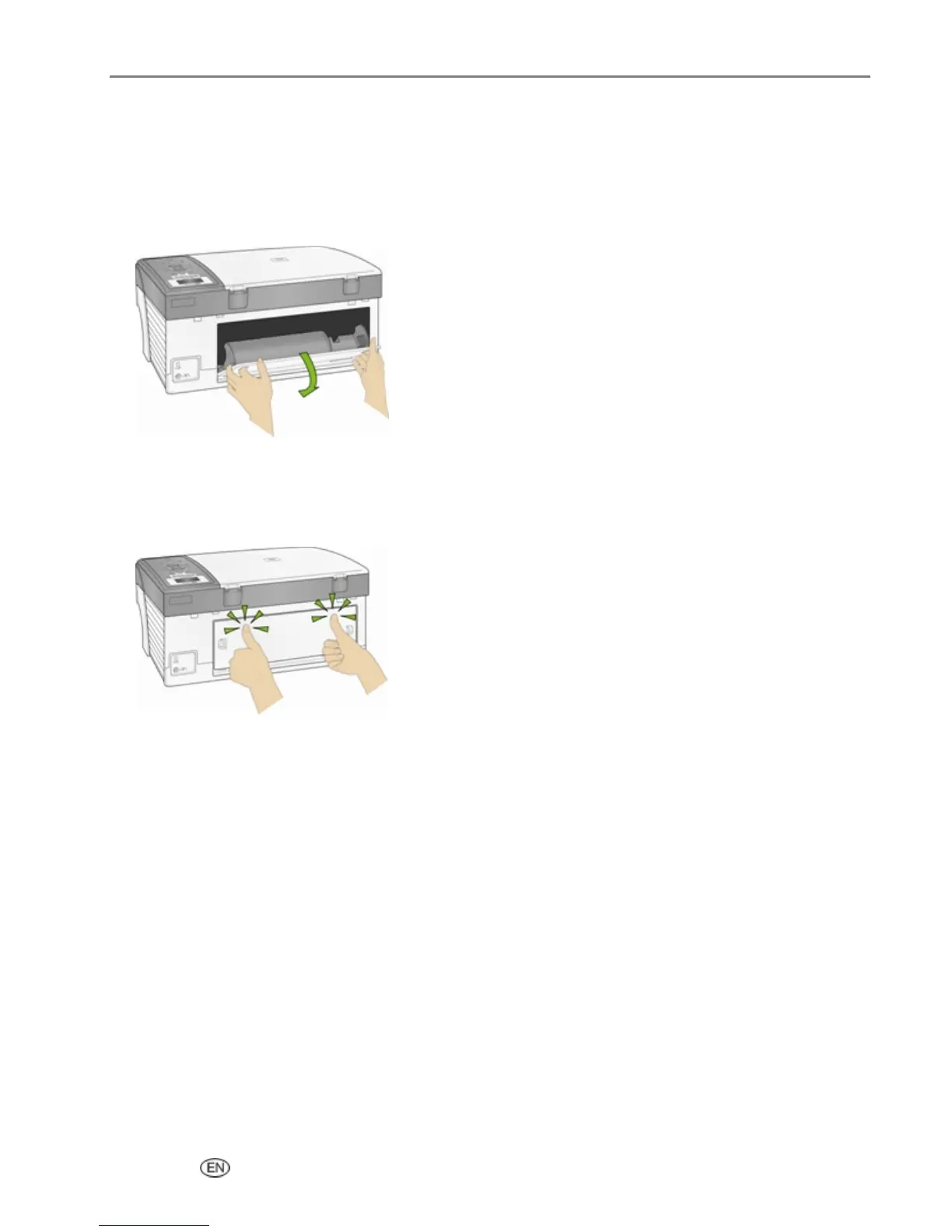
2 Press in the latches on the rear access door and remove it.
3 Pull the paper out from the rollers without tearing it.
IMPORTANT: If the paper tears while removing it, check inside the AiO for torn pieces of paper and
remove them. More jams are likely to occur if all the torn pieces are not removed.
4 Replace the rear access door by pressing it in until it latches into place.
5 Reload the paper tray(s). Do not overfill.
6 Re-engage the Photo tray if desired.
Printer not Responding
If you receive a Printer not Responding message
1 Turn the printer off and turn it back on.
2 If the problem still persists, unplug the power cord from power supply and plug it back in.
3 If the problem continues to persist, restart your computer.
User’s Guide 129



 To Next Page