Chapter 3
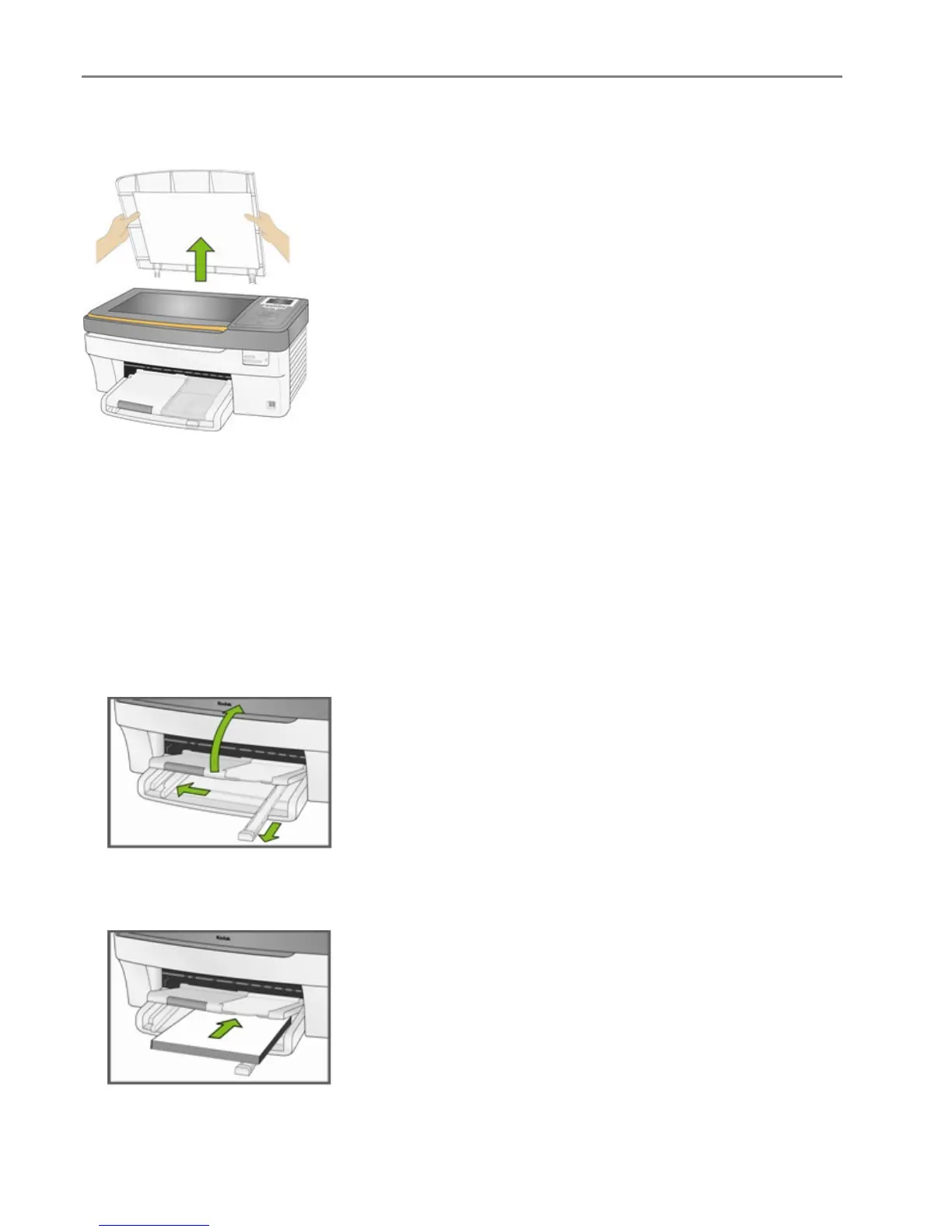
You can copy or scan oversized originals by completely removing the lid from your EasyShare AiO. To
remove the lid, lift the lid to the open position, grasp the sides of the lid, and then pull the lid upward.
Your EasyShare AiO functions normally with the lid removed. Replace the lid by inserting the tabs on the
hinge back into the appropriate slots.
Load Main Tray
You can load the main paper tray with various types of paper from 3 to 8.5 inches wide and 5 to 14 inches
long, with a capacity of 100 sheets of 20 lb plain paper (clean stack of new paper).
IMPORTANT: To print from the main paper tray, make sure the photo tray is not engaged, pulled all the
way out, and the lid closed.
1 Lift the output tray, and slide the paper-width and paper-length guides to their outermost positions.
2 Align the edges of a stack of paper.
3 Insert the stack of paper into the input tray with the short edge forward and the print side down. Slide
the stack of paper forward until it stops.
4 Slide the paper-width and paper-length guides inward until they stop at the edges of the paper.
32 Kodak EasyShare 5300 AiO














 To Next Page