EasyManua.ls Logo

Kodak EasyShare 5300 - Menus

Kodak EasyShare 5300
150 pages
Print Icon
To Next Page IconTo Next Page
To Previous Page IconTo Previous Page
Loading...
Chapter 2
Menus
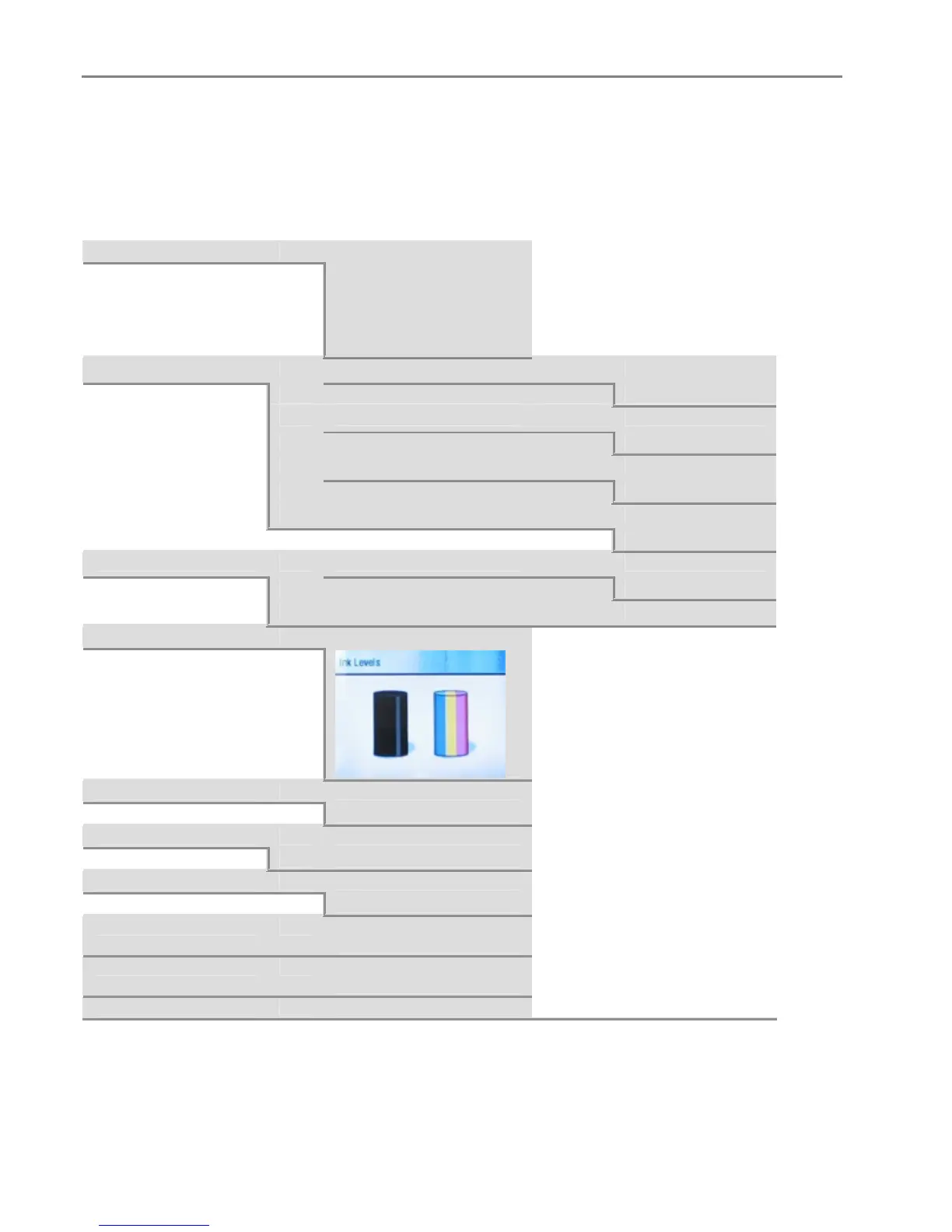
The Kodak EasyShare AiO menus are accessed by the Menu, Photo, Copy, Scan, and Help buttons.
Menu Button
Help
OK
Inserting Ink Cartridges
Making a Copy
Printing a Photo
Making a Scan
Calibrating Printer
Photo Print Settings
OK
Image Scaling
_ or `
Fill Page
Fit to Page
Use Print Order if Found
_ or `
Yes
No
Scene Balance
_ or `
On
Off
Add Date to Prints
_ or `
No
Yes
Control Panel Settings
OK
Button Sounds
_ or `
On
Off
Minutes to Standby
_ or `
10-30
Ink Levels
OK
Proofsheet
OK
Print Proofsheet
Scan Proofsheet
Clean Printhead
OK
Basic Clean
Deep Clean
Calibrate Printer
OK
Print Calibration Page
Scan Calibration Page
Format Memory Card
OK
Formats inserted memory
card.
Print Demo Sheet
OK
Prints a demonstration
page.
Print Diagnostic Sheet
OK
Prints a diagnostic page.
18 Kodak EasyShare 5300 AiO

Table of Contents

Related product manuals