Chapter 3
Load Photo Tray
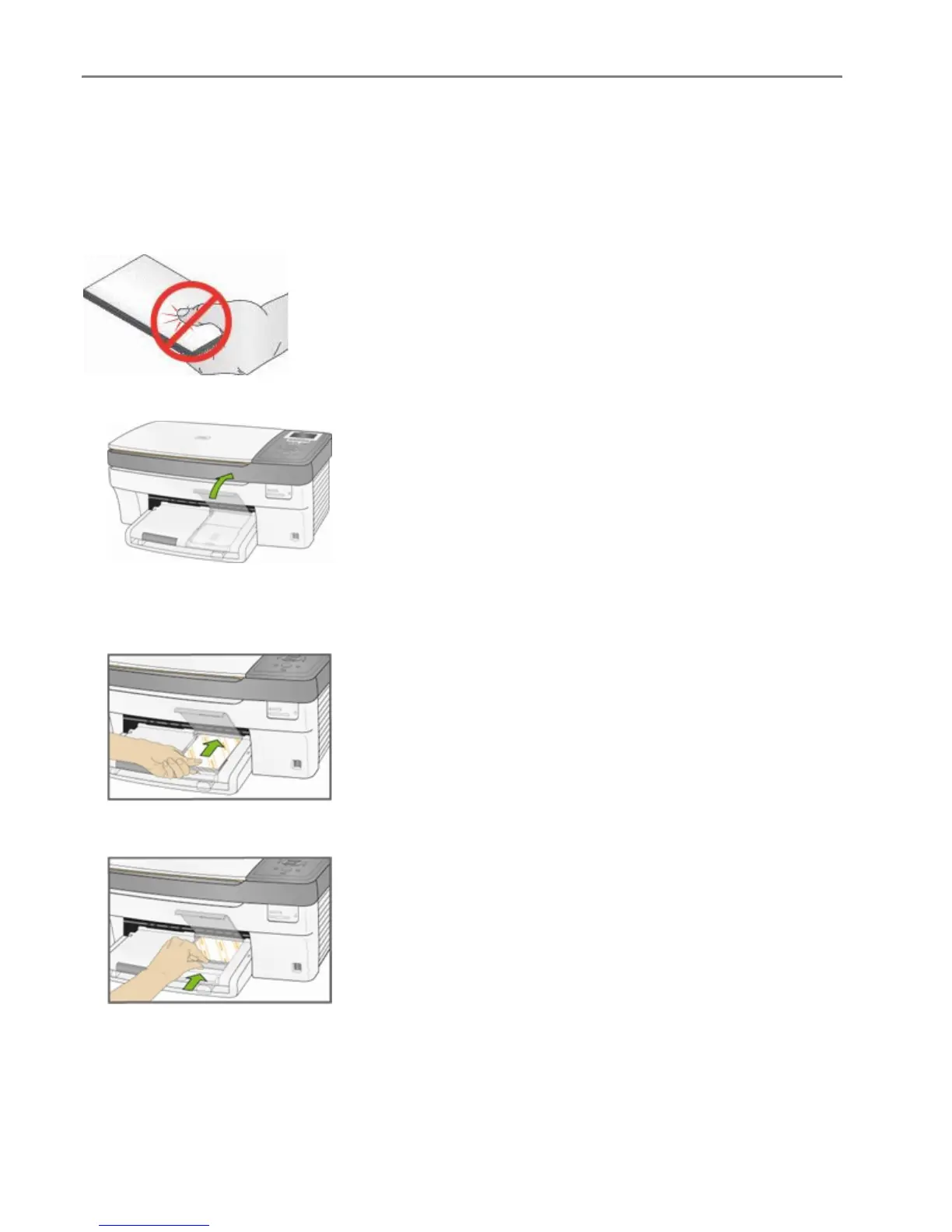
You can load up to 20 sheets of 10 mil thick 4x6 inch (101x150 mm) photo paper into the photo tray.
TIP: To avoid fingerprints, handle the paper by the edges or by the perforated tabs. Avoid touching the
glossy side of the paper.
1 Lift the photo tray lid.
2 Slide the photo tray towards you until it stops.
NOTE: When the photo tray is disengaged, the main paper tray is active.
3 Insert the stack of photo paper into the photo tray glossy side down.
4 Slide the photo tray with the stack of photo paper in until it stops. Engaging the photo tray turns the
photo tray light on.
34 Kodak EasyShare 5300 AiO














 To Next Page