Chapter 2
3
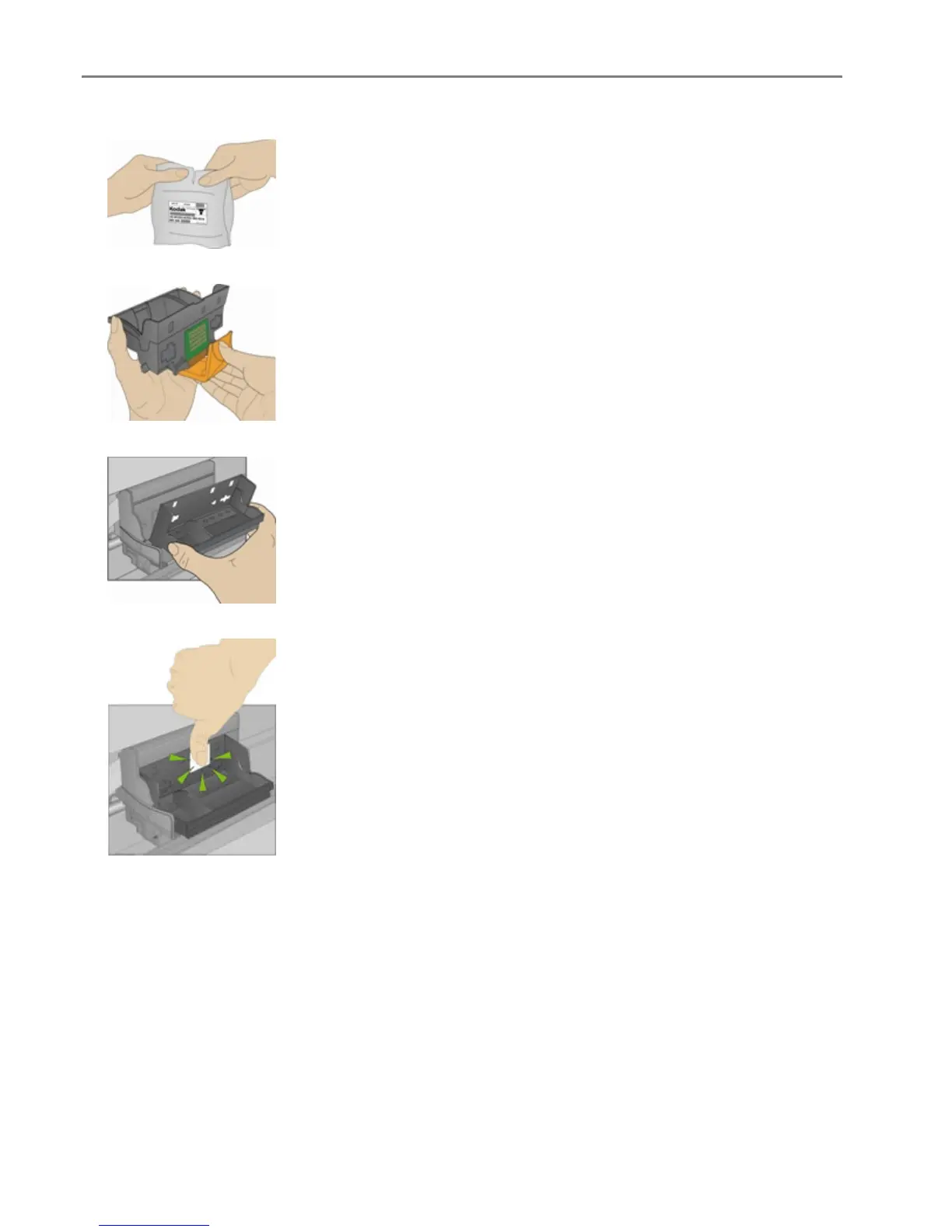
Remove the printhead from its bag.
4 Remove and discard the clear plastic casing and the orange protective cap.
5 Place the printhead into the carriage.
6 Push against the back wall of the printhead until it clicks into place.
7 Install the ink cartridges.
14 Kodak EasyShare 5300 AiO














 To Next Page