5-12 A-61651 December 2009
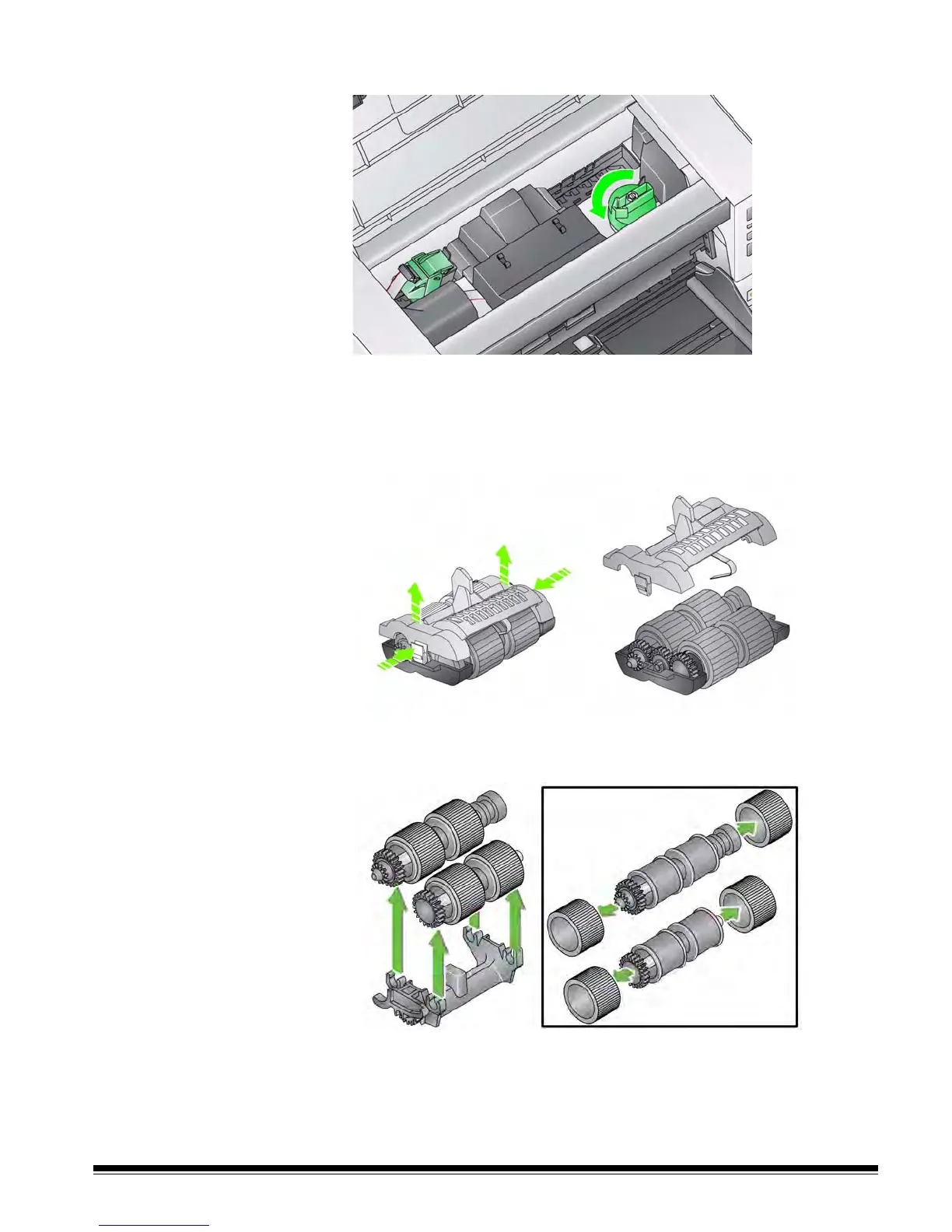
3. Turn the feed module release knob and release the feed module.
4. If you are just replacing the feed module, go to Step 11. If you are replacing
the tires, proceed with Step 5.
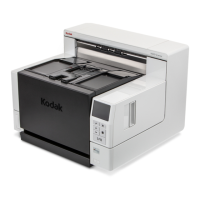
5. With one hand, press the locking tabs (one on each side) while holding the
lower housing with the other hand. Pull the upper housing up and away
from the rollers.
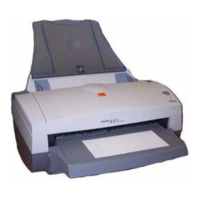
6. Remove both core assemblies.
7. Replace each tire by sliding the tire off the core.
8. Install each new tire by gently pulling it over the core. The tires do not need
to be installed in any specific orientation.
IMPORTANT:Do not overstretch the tire; it may tear.
9. Replace each core assembly in the lower feed module housing and align


 To Next Page