A-61651 December 2009 5-15
To replace the tires:
5. Replace each tire by sliding the tire off the core.
6. Install each new tire by gently pulling it over the core.
IMPORTANT:Do not overstretch the tire; it may tear.
7. Reinstall the separation roller. Be sure to line up the slots on the separation
roller with the holders.
8. Lower the separation roller holder back in place.
9. Close the scanner cover.
Replacing the pre-
separation pad
Change the pre-separation pad when the frequency of multi-fed documents
increases.
1. Open the scanner cover.
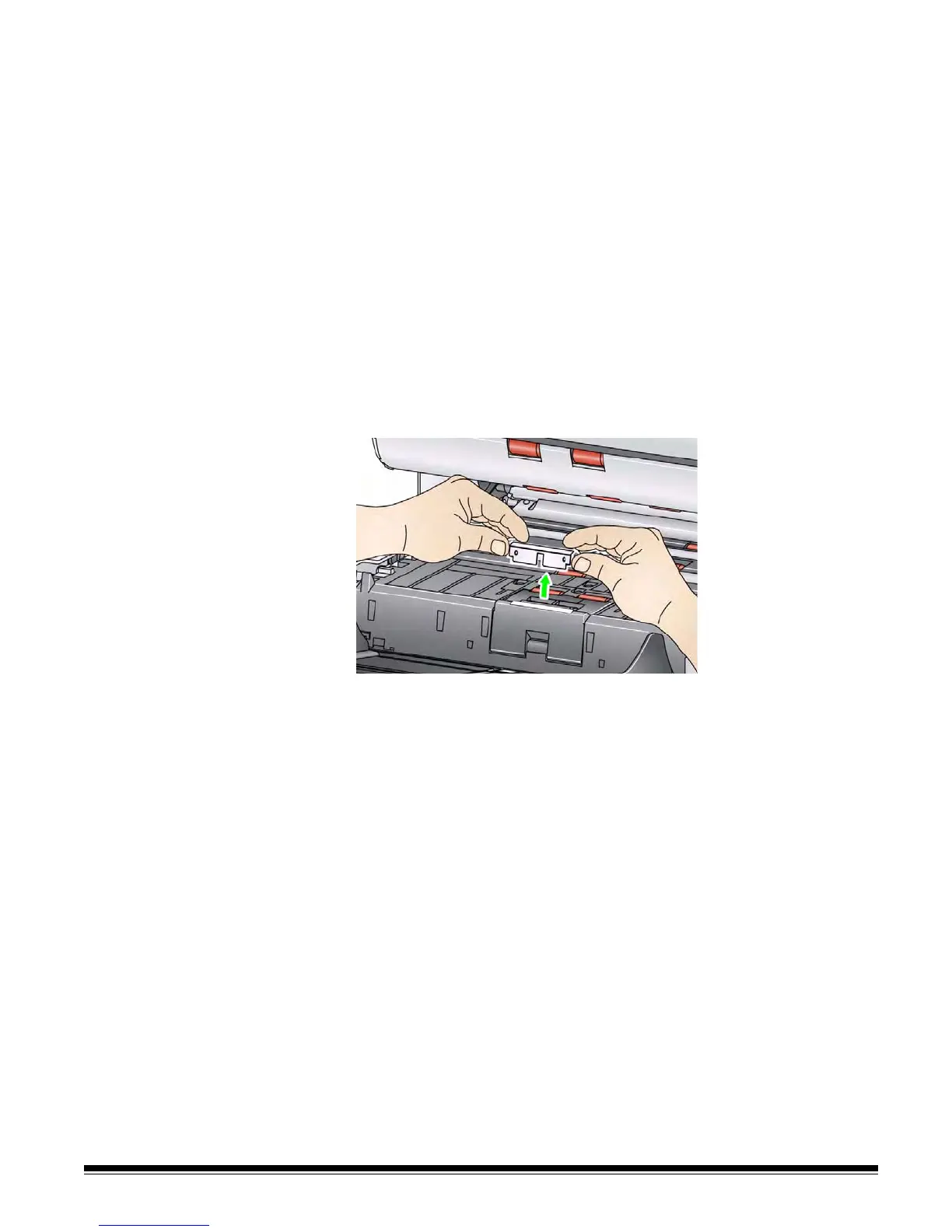
2. Remove the pre-separation pad by lifting the pad up and out of position.
NOTE: The pre-separation pad fits snuggly in place; therefore, a little
force may be required to remove it.
3. Install the new pre-separation pad. Be sure it snaps into place.
4. Close the scanner cover.


 To Next Page