A-61504 October 2007 3-29
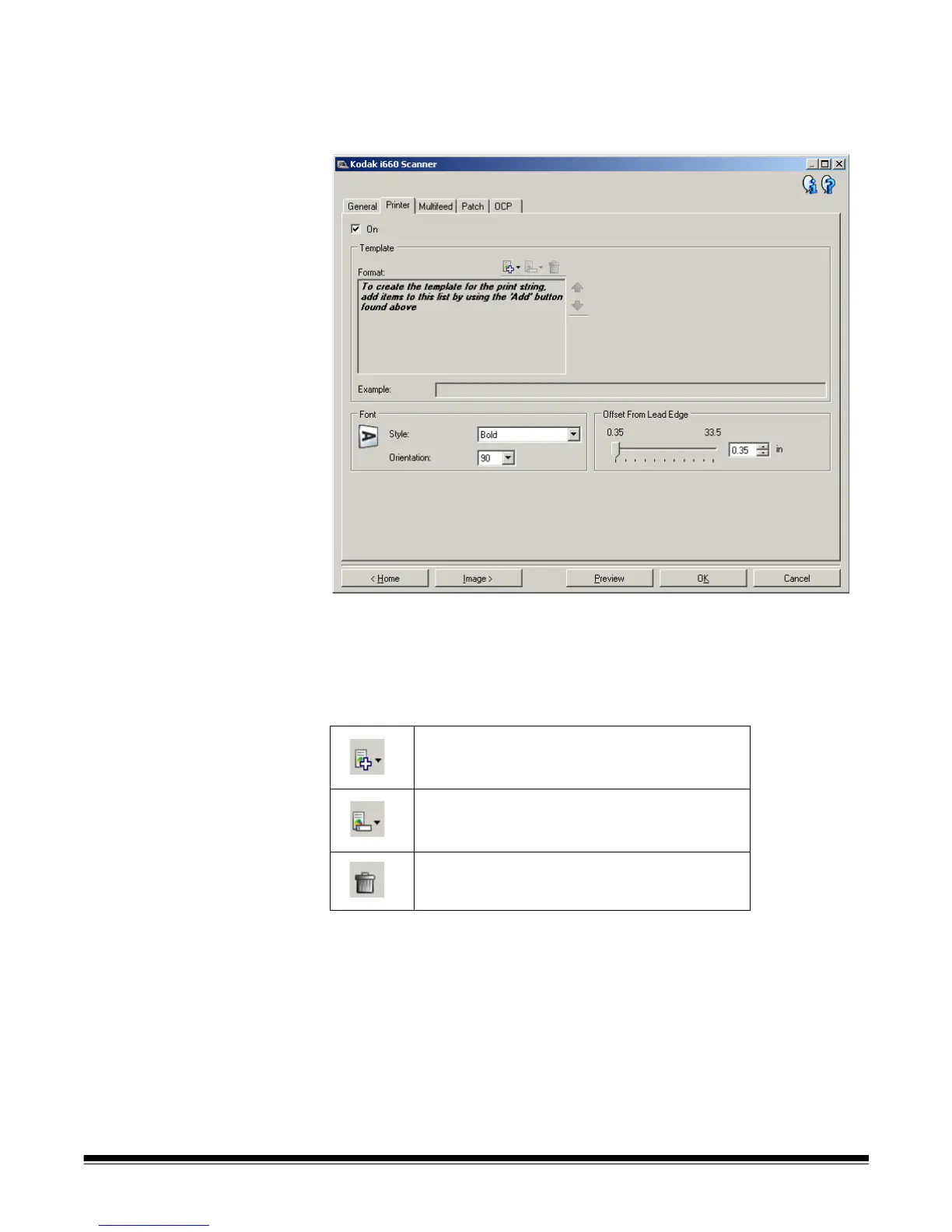
Device - Printer tab The Enhanced Printer provides a vertical print capability and supports
alphanumeric characters, date, time, document count and custom
messages. All print information is captured in the image header of each
document.
On — turns printing on and makes the rest of the options on this tab
available.
Template: Format — allows you to define your print string. The
maximum amount of characters for the print string is 40 characters
(including spaces).
NOTE: As you build your print string, only items that will fit in the 40-
character limit will be available from the Add and Change lists.
Add — displays a list of items you can add to
your print string. When you select an item, that
item will appear at the end of the Format list.
Change — allows you to change the currently
selected item in the Format list with one of the
items from the list that is displayed.
Delete — allows you to remove the currently
selected item from the Format list.



 To Next Page