Chapter 1 Basic Operation CVS-126
1-2 0093132702-08
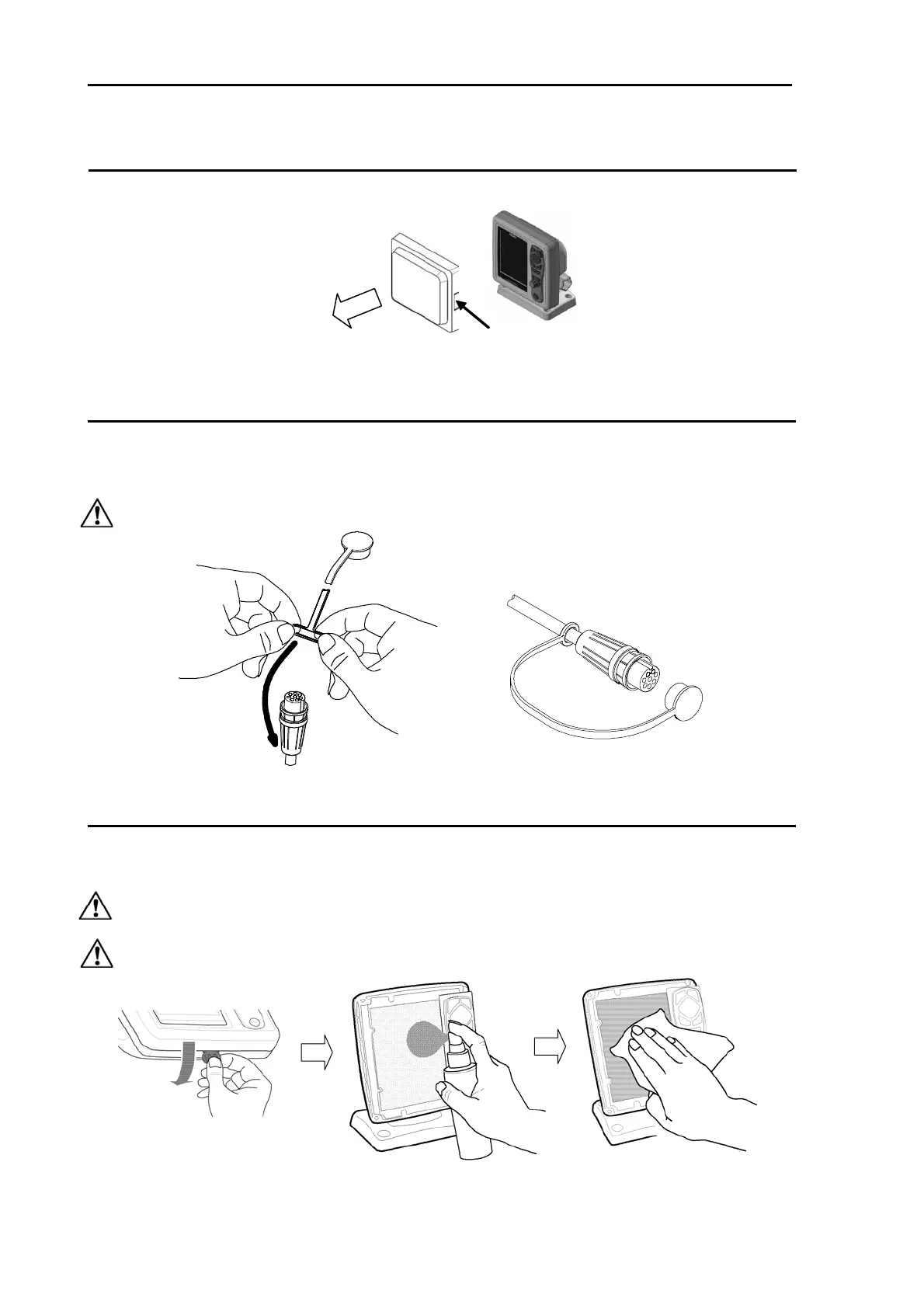
How to remove the hard cover
While widening the claws at right and left sides of hard cover, draw the hard cover towards you.
When removing CVS-126 Display unit
To prevent dust from entering, cap the connector at the rear of CVS-126 Display unit and the power
cable with caps.
Install the supplied cap to the transducer cable as shown in the figure and cap it.
Caution: Do not pull the cable strongly. If you do so, it will be broken.
The clean of CVS-126 Display unit
The cleaning of the display unit goes after removing the front-frame. After removing the front-frame, use
a synthetic detergent and OA cleaner and wipe the display unit lightly. Then dry sufficiently, and return
the front- frame to original position.
Caution: The display unit has a special coating. Do not use a solvent such as paint thinner,
acetone, alcohol, and benzene, etc.
Caution: Strong rubbing may cause bruising and scratching.
Claw



 To Next Page