CVS-126 Chapter 2 How to use the menu
0093132702-08 2-1
Chapter 2 How to use the menu
2.1 How to operate the menu
Display the menu/Stop the display of
menu
1 Press the [MENU] key.
The menu and explanation of operation
are displayed.
2 Press the [MENU] key.
The menu and explanation of operation
close.
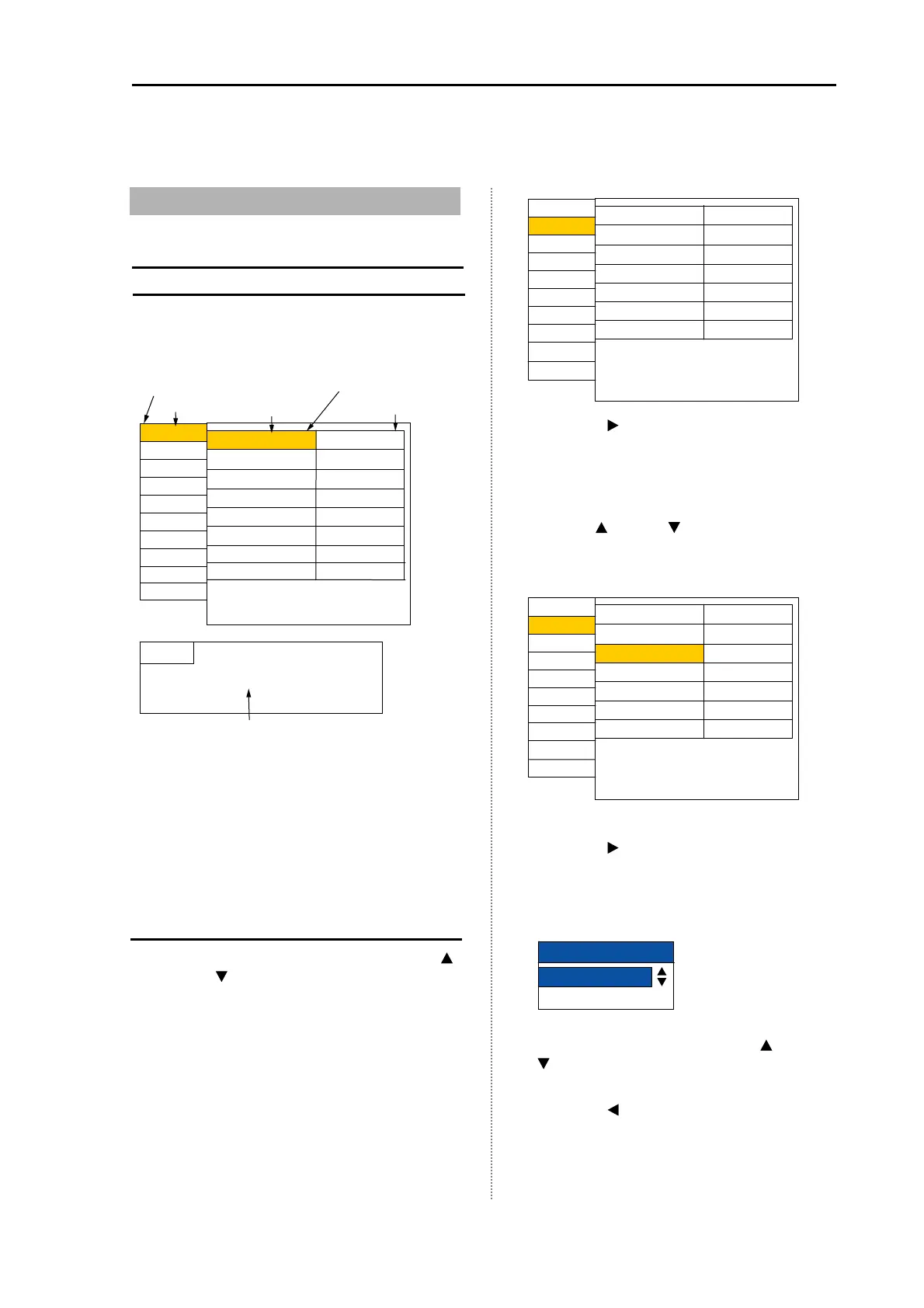
Menu Operation
1 When the menu is displayed, press the [
]
key or [
]
key to select the menu name.
Depending on the selected menu name,
the content in the set item column at the
right side changes. (The menu name can
be selected by rotating the [Knob].)
2 Press the [ ] key.
The cursor appears in the set item column.
(The cursor appears by pressing the
[Knob].)
3 Select the set item you desire to change
with the [
]
key or [
]
key.
(The set item can be selected by rotating
the [Knob].)
4 Press the [
]
key.
The set menu corresponding to the
selected item is displayed.
(It can be displayed by rotating the [Knob].)
5 Change the set content with the [
]
key or
[
]
key.
(It can be changed by rotating the [Knob])
6 Press the [
]
key.
The cursor returns to the set item column.
(It can be displayed by rotating the [Knob].)
7 To select the other menu item, press the
Menu column
djust
Display1
D.range
Display2
larm1
larm2
NAV
Image
Next
Image speed
IR
Color rejection
Noise rejection
TX power
Gain (TD)
Return
Speed 5
Strong
0%
0
uto
Guide
Name of menu selected
Setting item column
It is displayed when the [Operation Guide] is set to ON.
(See [2.17 Explanation of Menu Item Display the
operation guide / Stop the display of operation guide].)
Setting value
Cursor
System
Medium TVG
Disp width
Shift step
Zoom type
Zoom range
Zoom start
Range preset
Return
1m
0m
10.0m
BTM.
djust
Display1
D.range
Display2
larm1
larm2
NAV
Image
Next
System
Center
Disp width
Shift step
Zoom type
Zoom range
Zoom start
Range preset
Return
1m
10.0m
0m
BTM.
djust
Display1
D.range
Display2
larm1
larm2
NAV
Image
Next
System
Center
Zoom range
10.0
m



 To Next Page