CVS-126 Chapter 4 Maintenance and Inspection
0093132702-08 4-3
4.5 Diagnostic Test
Perform the operation diagnosis.
To check the operation diagnosis of panel key,
the state of sensor inside and the version of
software.
Diagnose
1 displays the diagnostic result.
The result of ROM and RAM check displays
OK when normal and NG when abnormal.
Caution: To test the NMEA, TEMP and
SPEED, the special checker is
necessary.
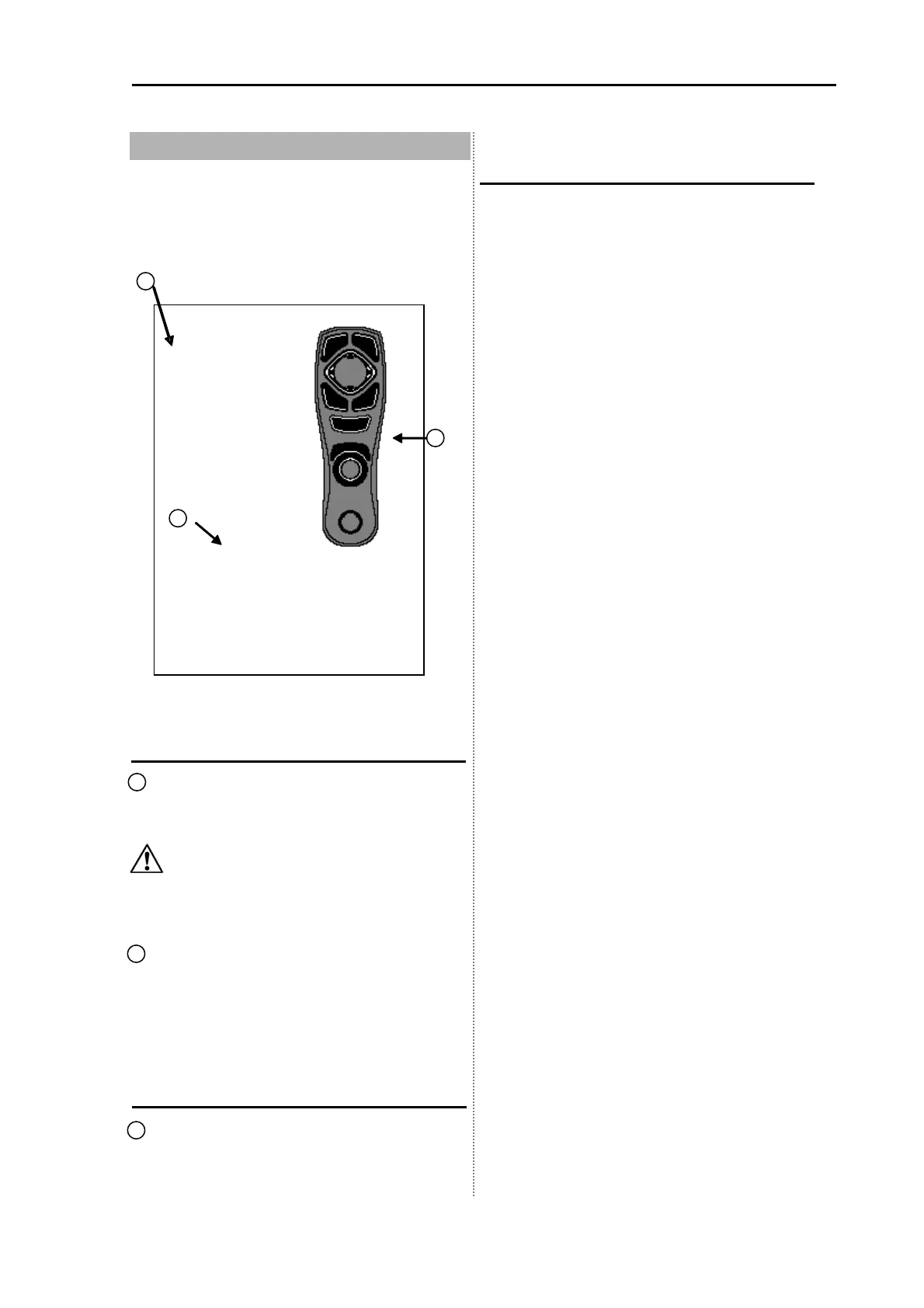
2 implements the key input test. When
pressing the key, the color of a part
corresponding to the pressed key changes.
When pressing the [Knob], the LCD test is
performed.
Confirm the version
3 displays the information on the version of
software.
When inquiring, inform us of Ver XX.XX.
Return to the menu
Press the [MENU] key for more than 3
seconds.
RO M
R
M
NME
OK N G
VO
L T
TE
MP
SP E E D
G
IN
1
2
3
KM-E67 Ver01.00 20080408
FishSnd ver01.00 Jan 23 2008 09:18:54
Ipl ver01.00 Jan 24 2008 15:21:33
SimData ver01.00 Jan 24 2008 15:21:33
TOP.ncd 3s400ft256 2008/03/26 14:38:31


 To Next Page