(4)
or audio component .
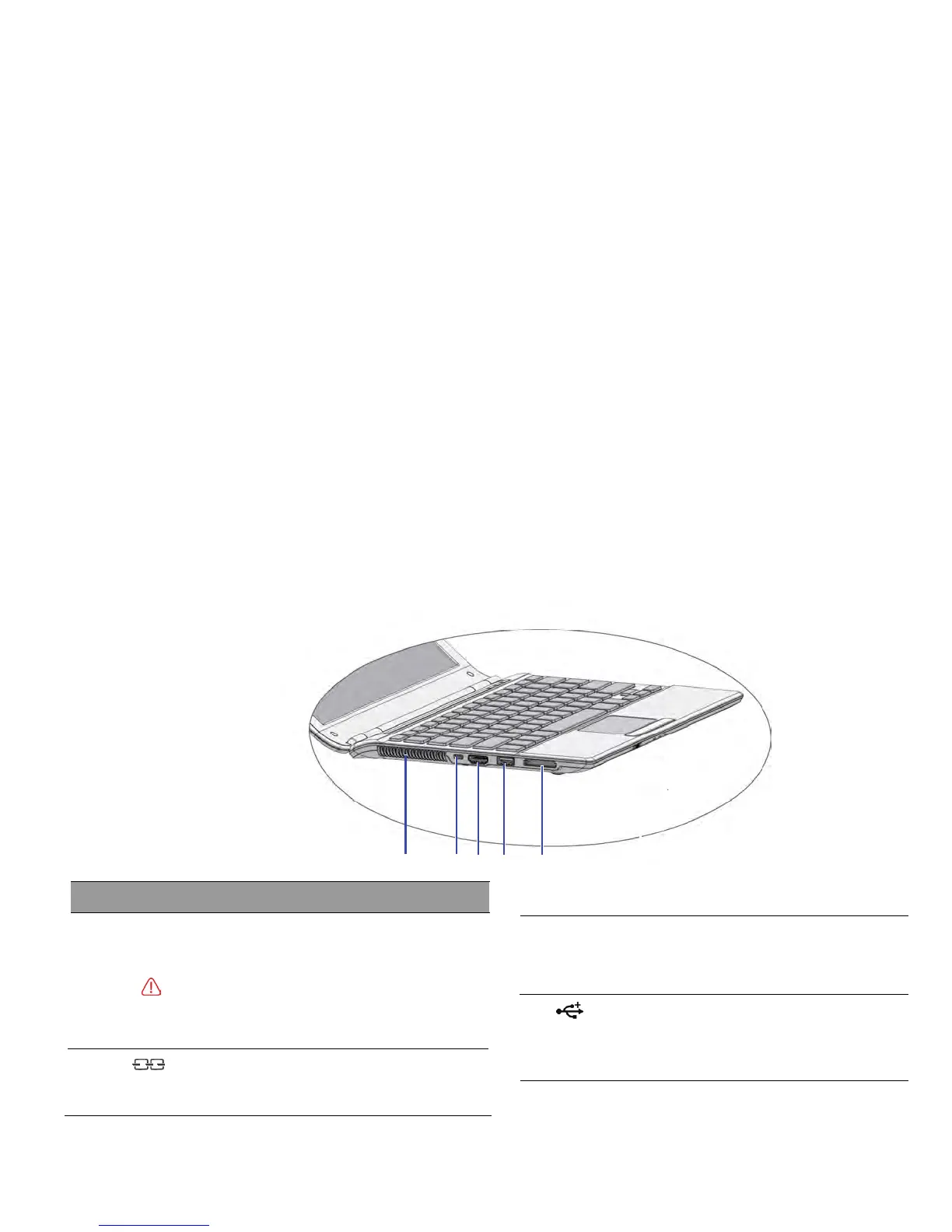
a high-definition television,or any compatible digital
Connects an optional video or audio device,such as
(3) HDMI port
Kensington cable lock to this slot.
Secure your computer to an object by connecting a
Kensington lock slot
(1) Vents
example, do not use the Notebook in bed where
a
Touring your Notebook 11
temperature.
Dissipate heat an
d keep your Notebook at an optimal
Left side view
No.
(2)
To prevent overh
eating, do not obstruct the vents. For
blanket may inadvertently cover the vents and block
the airflow.
USB port
Connects peripherals such as mice, digit
al
cameras and MP3 players that use the USB 2.0
interface.
Left-side components



 To Next Page