Pr
ess the Power button to start up your Notebook, the Power
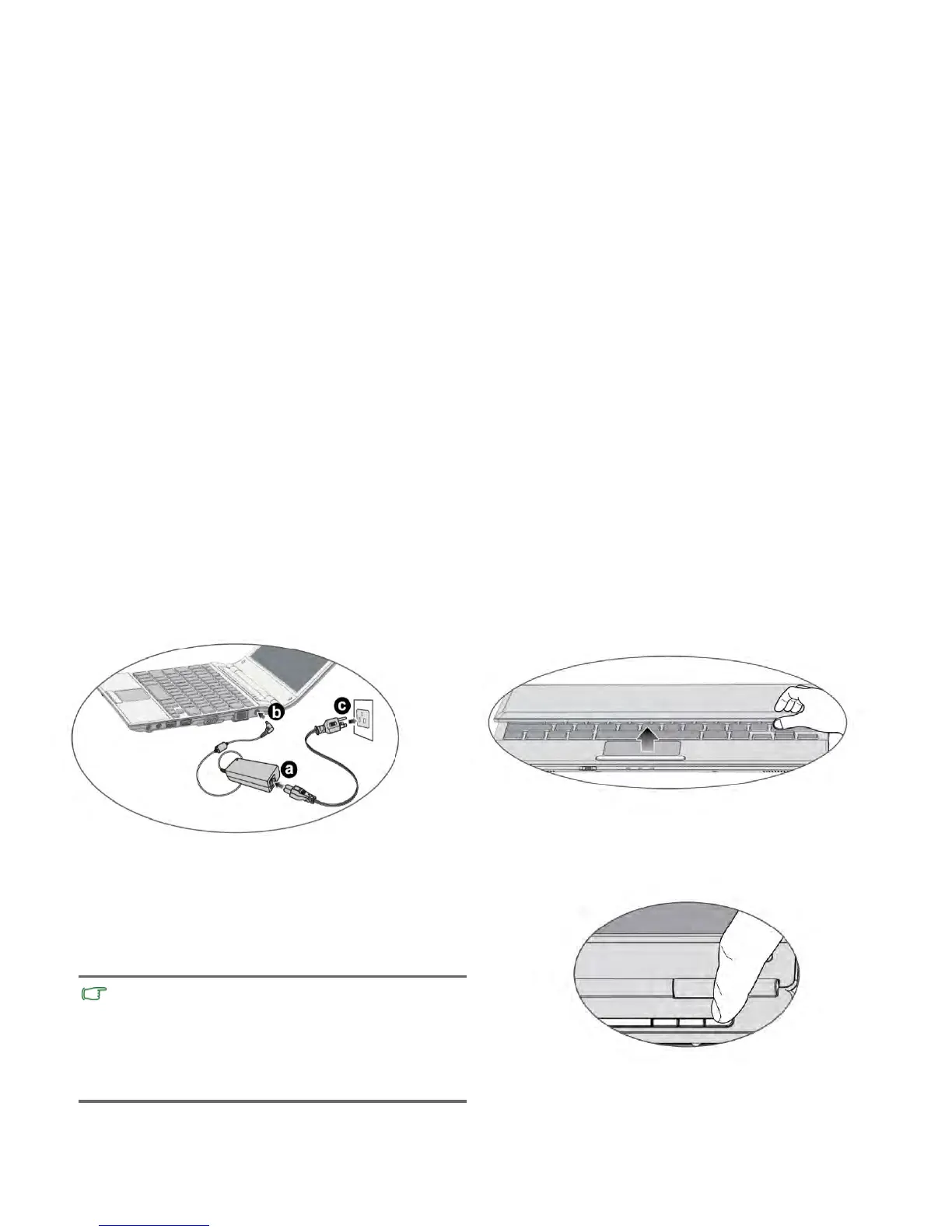
3. Opening your Notebook
You can still use your
Notebook while the battery is
Notebo
o
k will automatically start charging the
Notebook .
Getting started4
2. Connecting the power
a. C
onnect the power cord to the power adapter.
b. Connect the power adapter to the power jack on your
c. Connect the power cord to a power outlet. The
battery.
Gently lift up the latchless lid that allows you to open the case
easily.
4. Performing initial setup
button indicator then lights up in white. And then follow the
• The battery p
ack is shipped with low charge from the factory.
charging.
• Power systems and plug types may vary depending on your
country/region.
• For details about the colors and meanings of the indicators,
refer to "Indicators" on page 15.



 To Next Page