speaker for playing the Notebook audio.
Touring your Notebook 13
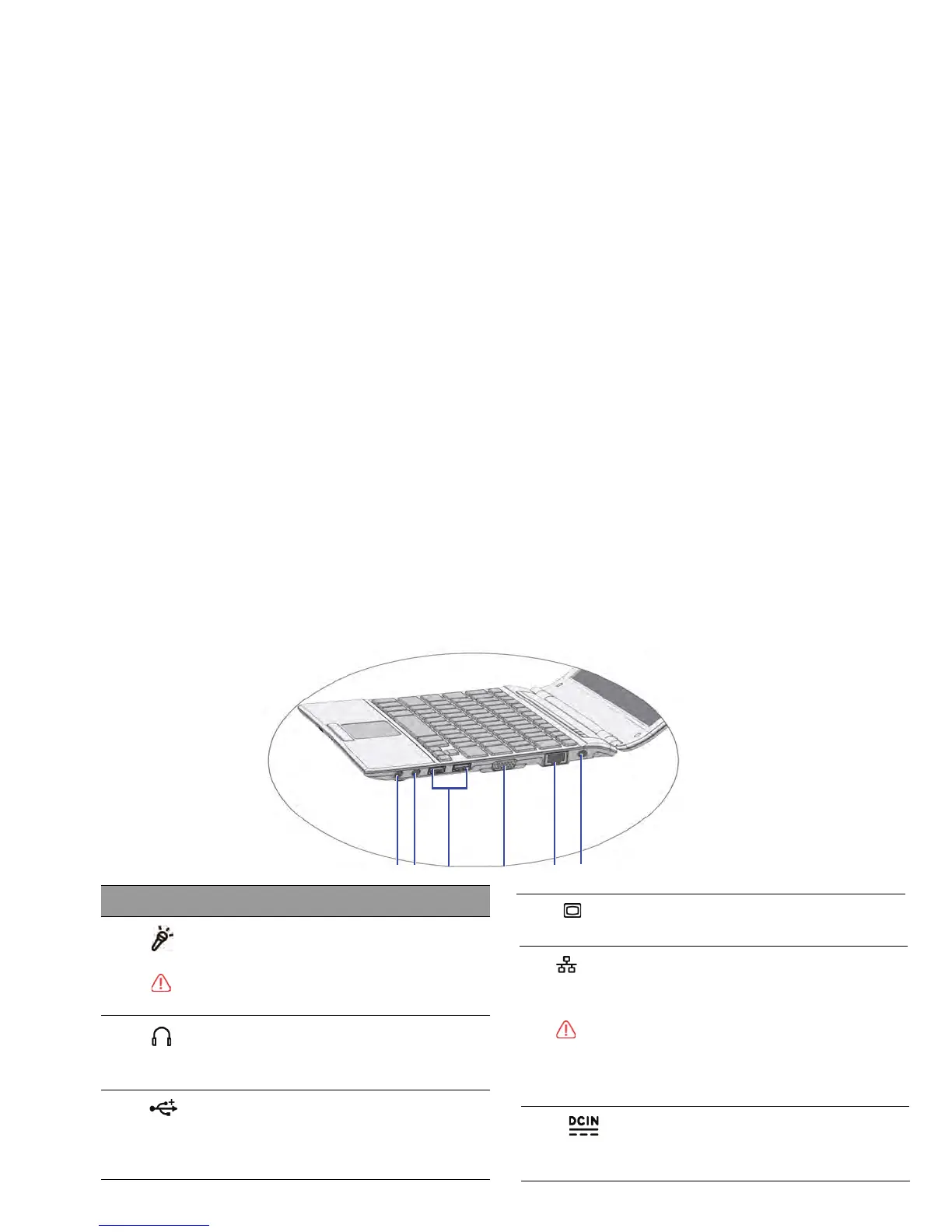
Right si
de view
No. Right-side components
(1
)
Audio output jack
Connects to an earphone/headset or external
(2)
Microphone input jack
Connects to a microphone for recording sounds.
This jack is for
3.5mm analog audio plugs. It accepts
both mono and stereo plugs.
(3)
USB port
Connect
s peripherals such as mice, digital
cameras and MP3 players that use the USB 2.0
interface.
15-pin D-sub video jack
monitors and projec
tors.
(5)
fast Ethernet 100BASE-T network.
LAN (Local Area Network) port (RJ-45
connector)
Please be careful to avoid plugging a
RJ-11 phone
cable connector in the RJ-45 port. This will damage
the LAN port. They look similar, but the RJ-45
connector is wider than the RJ-11 connector, and has
more conductors.
Connects
AC power supply to power the Notebook
and charge the battery.
Power jack



 To Next Page