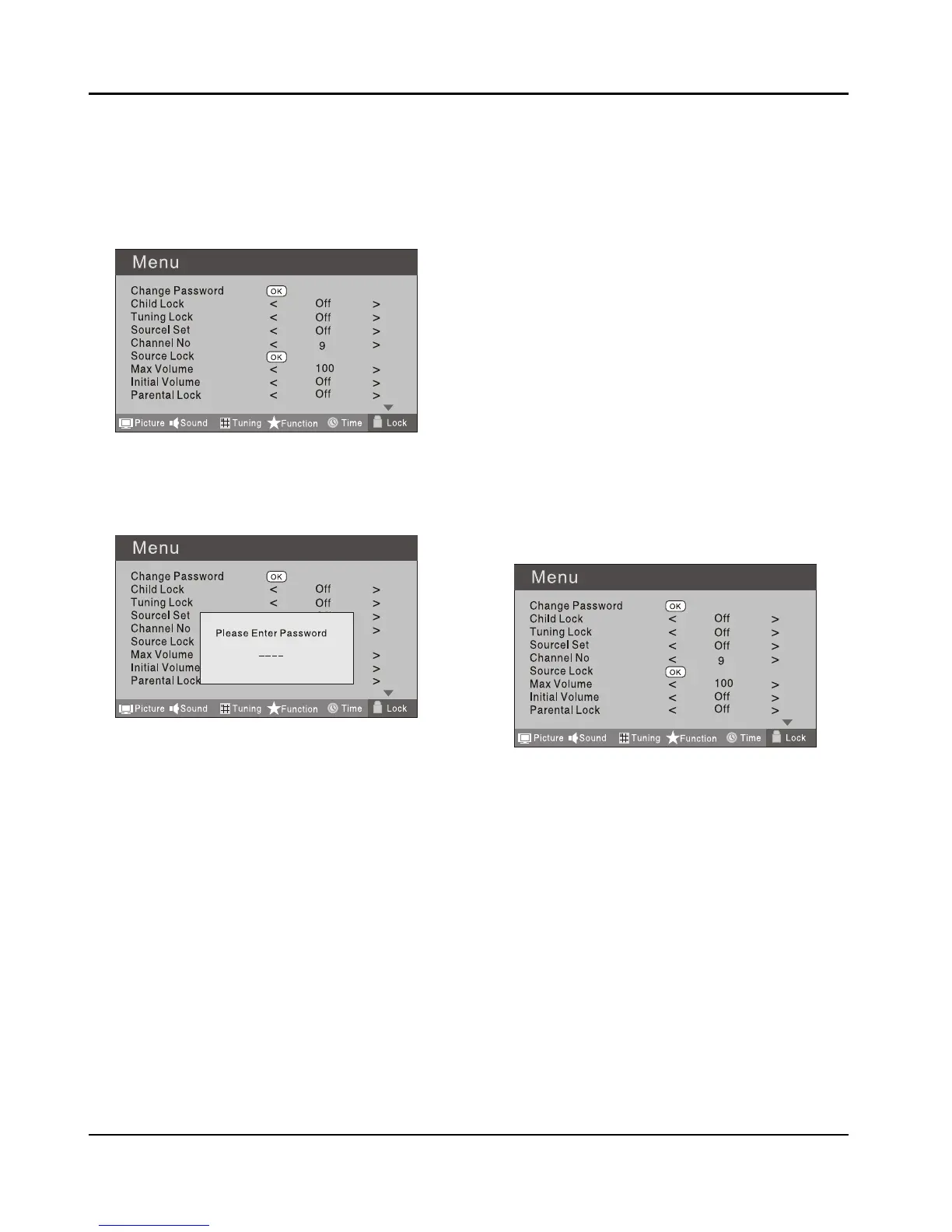
Using this function can control the tuner, program,
source volume and so on. Pressing MENU on the remote
control, press 3 button to select Lock menu, press
button to enter the sub-menu, and you will be required
to enter the password. The initial password of the
television is 0000. If you forget your password, you can
always input 9443 to regain control.
CHANGE PASSWORD ❖
Press A 5 button to select Change Password
item. Press button to enter the submenu.
When you have inputted the four digits you will B
be prompted to enter it again.
Your new password will then be automatically
saved.
CHILD LOCK ❖
Press 5 button to select Child Lock.
Press 3 button to set On or O mode. If lock on
mode is set, Child Lock is in activated automatically.
In such case, if Child Lock button (button on the
television) is pressed, the screen will display Child
Lock, which can be erased by press of MENU button.
5 seconds later after the latest press, the screen
display will disappear automatically. The Child Lock
mode can be resumed by entering Lock Set menu, set
Child Lock On or O.
Tuning Lock ❖
Press 5 to select Tuner Lock and 3 to set On/O.
(To set On, some operation such as search will be not
available. When enter the Tuning menu, Tuner Lock
will be on the screen. If you want to operate Tuning
menu, you need to enter the Lock menu to set Tuner
Lock O or operate unlock.)
Channel NO. ❖
Channel NO. is opted for setting up preset channel.
Press 5 button to select preset Channel. Press 3
button to select channel number.
Source set ❖
Channel set is opted for setting up start source.
Press 3 button to select O, DTV, TV, AV, SCART1,
SCART2, S-Video, Component1, Component2, PC,
HDMI1, HDMI2, HDMI3, USB in turn. DVD is available
for some model.
Source Lock ❖
Source Lock will control the On or O of hinder
external input modes.
Press 3 button to set as on or o.
When the source lock is set as on, TV source will
display, at this time, when press SOURCE button,
the TV can switch to corresponding source and will
display the Source is locked.
Max Volume ❖
Press 5 button to select Max Volume. Press 3
button for adjustment between 0-100. If a certain
Value is set, when volume is being adjusted, the
sound value can not exceed maximum volume value.
If current volume is over Max Volume, when lock set
menu is set, current volume will become set maximum
volume, if current volume is below maximum volume,
customer set volume will stay unchanged.
Initial Volume ❖
The TV will remember it after your setting, that will be
the volume when turn on the TV next time.
Parental Lock ❖
Press 5 button to select parental lock. Press 3
button to select OFF or 4-18 to limit the age of
children who will watch TV.



 To Next Page