The minimum device size for record is 1GB. Provide ❏
device formatting function is up to 2TB. The max
Multi-Partition is 16 partitions and one is active at
a time.
Bit rate: ❏
Device bit-rate>4.5MB/s REC is safe at HD •
stream
Device bit-rate>1.5MB/s REC is safe at SD •
stream
Device bit • -rate<600KB/s REC is bad for REC
The system can not work normally if the USB ❏
device have the listing problem below:
The device has bug. •
The device has error block. •
The device reports the unfaithful size. •
IMPORTANT
USB device should be format as FAT32 format by •
your PC before insert to the USB connector.
TIME SHIFT
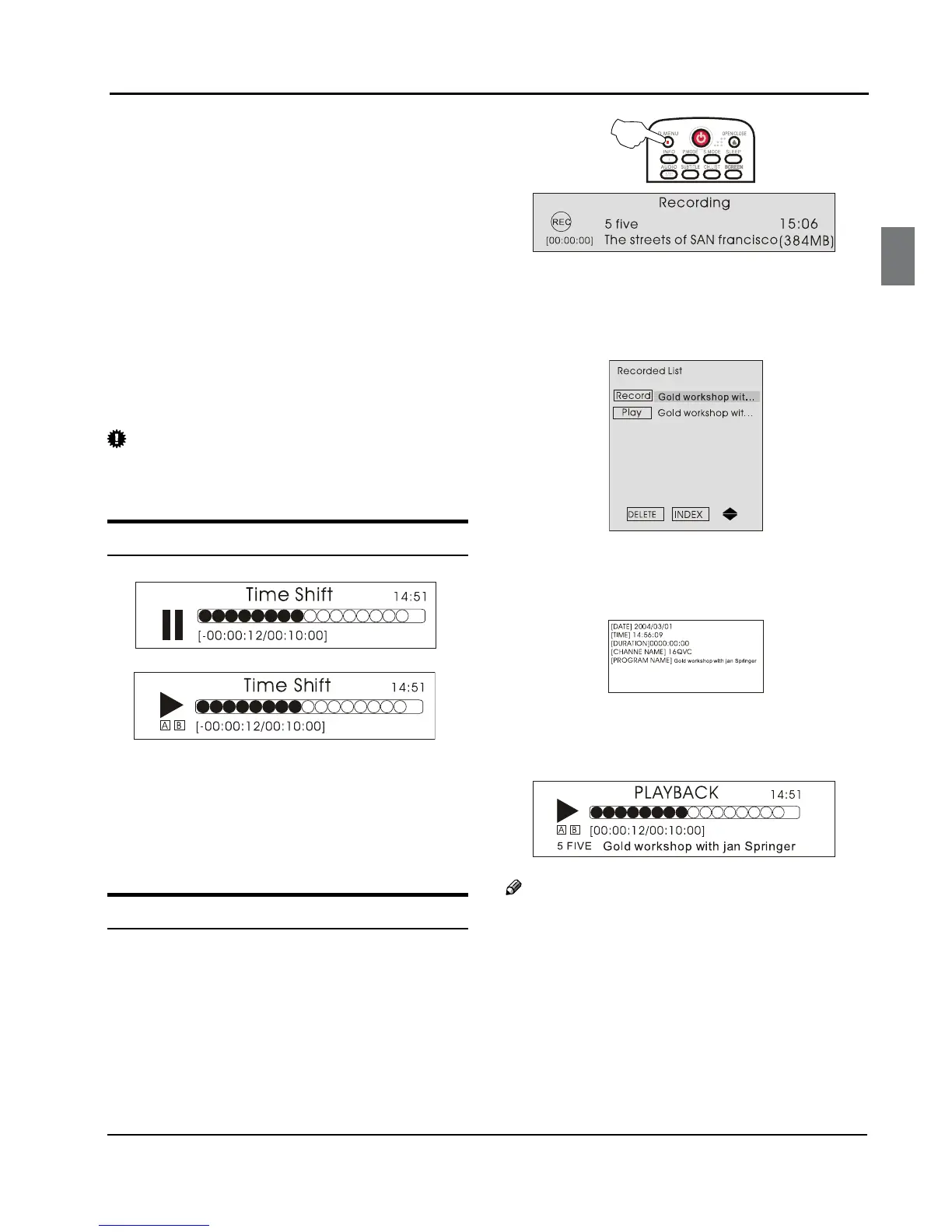
Time Shift function is only available in DTV mode. Press
PLAY/PAUSE to pause the program, and press PLAY/
PAUSE again, the time shift program will be played. If
you want to stop time shift function, press the STOP
button.
You can stop the time shift program being played by
pressing the STOP button.
RECORDING
Press A D.MENU button to record the program being
played, and press D.MENU or EXIT button to make
the recording interface minimum.
Press B STOP button to stop the program recording
being played.
For Playback the recorded program. Press
C INDEX
button to open the recorded list.
Press 5 button to select the content you recorded.
Press the button to display the program
information.
Press 3 button to cancel.
Press OK or PLAY/PAUSE button to play the
program recorded and press STOP button to stop it.
Note
Changing the channel will not inuence the ❏
recording in the same frequency, but will inuence
the time shift. When the recorded program is being
played, you can not delete it.
Press the ❏ INDEX button repeatedly, the program
will be displayed in the order of program name,
channel name, program time, file name and file
length.
❏



 To Next Page