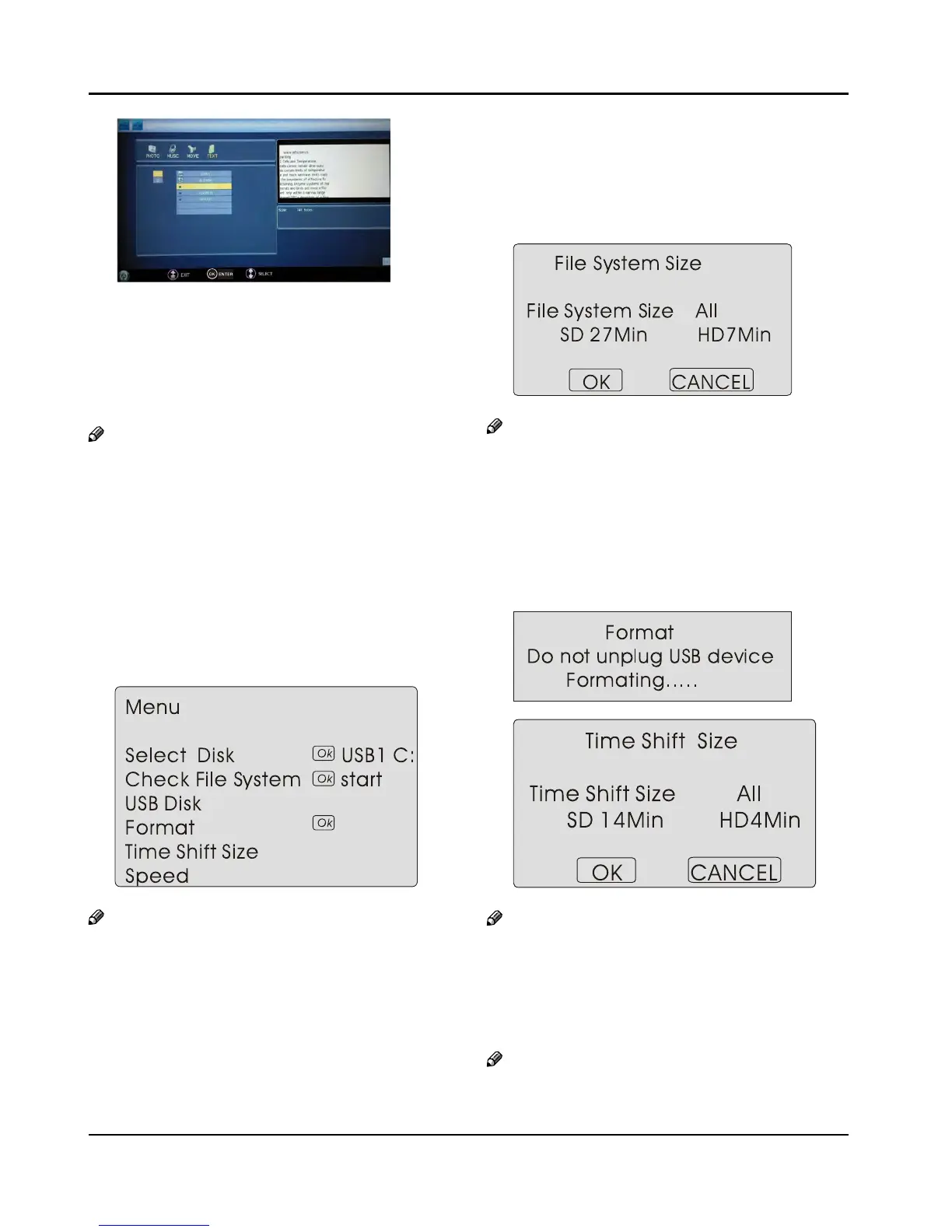
Press “C 5/” and “OK” button to select the text you
want to play, and then press “PLAY/PAUSE” button
to play the text.
Press “PREV/NEXT “ to select the last or next text.
To exit the “Text”
D mode, just press “BACK” repeatedly.
Note
You can enjoy the music and the text at the same ❏
time.
Using External USB
Disk For Recording
Insert the USB device with FAT32 format into the A
USB1 connector. Then, press MENU button.
Note
Only USB1 is available for recording. ❏
Press
B 3 button to select FUNCTION menu, press
button to enter .
Press
C 5 button to select Recorder. Press OK
button to enter the submenu.
Press
D 5 button to Select Disk and press or OK
button to enter. Press 3 button to select disk if
your device has several disks.
Press
E 5 button to select Format and press to
enter. Press 3 button to select the size you want
to format. Press OK button to format the USB Disk.
Note
The system will format the whole device and if ❏
your device size is bigger than 1GB, you can set the
size which is used for time shift.
Format may take several minutes and the time is
F
depending on the memory size. Press 3 button
to select the Time Shift Disk Size. The max device size
for Time Shift is 8GB. Then, press OK button to save.
Note
If you select all the size format for time shift, you ❏
can not do any recording.
Waiting for the system checking. And you can see
G
the speed data after the success checking.
Note
Only have to format when you use the device for ❏
record for the first time.



 To Next Page