Clear Lock ❖
Press 5 button to select Unlock mode. Press 3
button to unlock all set modes, setting all lock options
to o, and the maximum volume returns to 100.
SHORTCUT MENU
DISPLAY
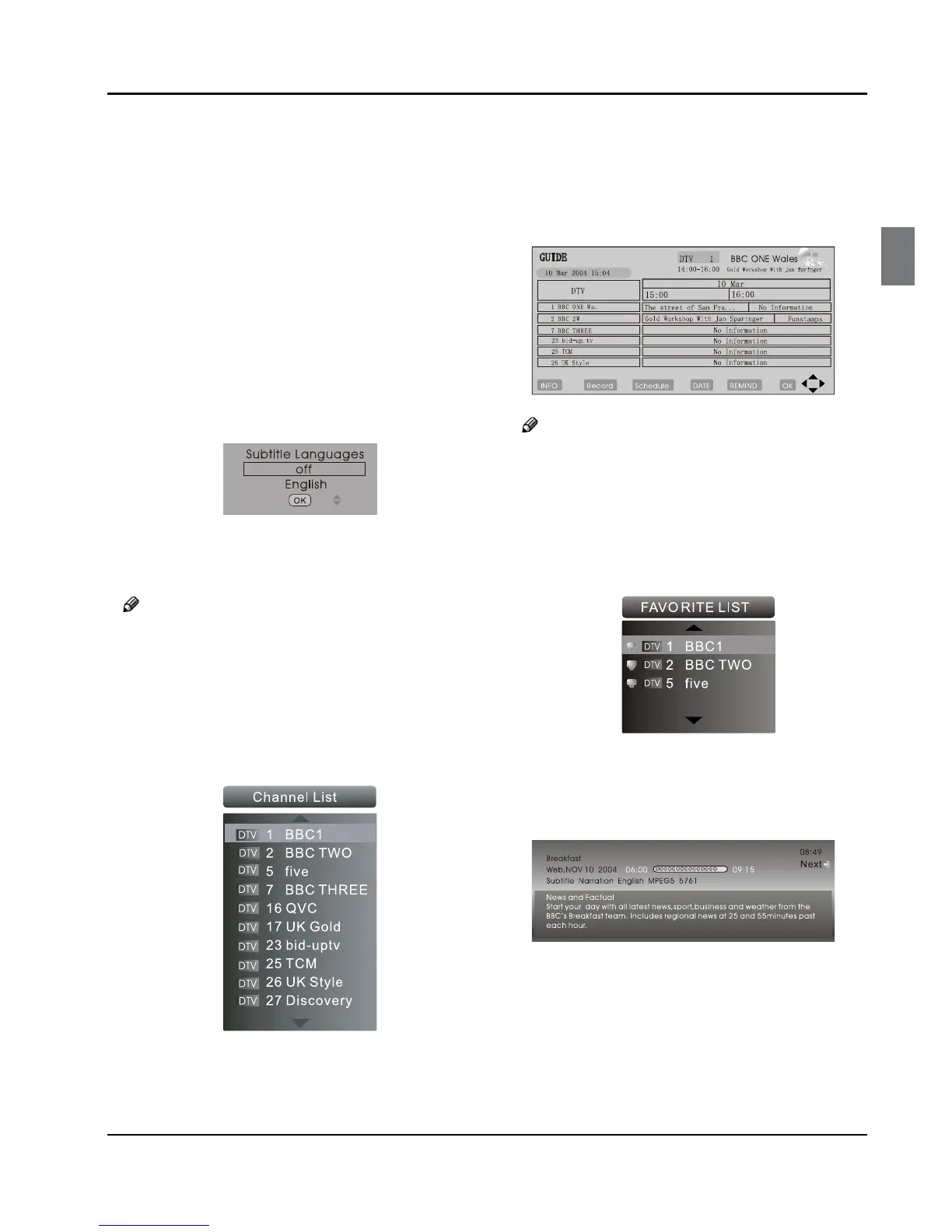
Subtitle Function ❖
Press A SUBTITLE button on the remote control will
display Subtitle languages menu, press button
to enter.
Press B 5 button to select the item and press OK
button to enter. You can press the EXIT button to
cancel the changes at anytime.
Note
Press ❏ SUBTITLE button on the remote, it will
display subtitle languages menu only in the DTV
mode.
CH.LIST Function ❖
Press A CH.LIST button on the remote control, will
display Channel List menu.
Press B 5 button to select the channel and press
OK button to enter. You can press the EXIT button
to cancel the changes at anytime.
GUIDE Function ❖
Press GUIDE button on the remote control, will
display Program Guide menu, press 53button
to select the program.
You can press the EXIT button to cancel the changes
at anytime.
Note
Av ❏ ailable only in the DTV mode.
FAV Function ❖
Press FAV button on the remote control, will display
Favourite List menu.
Press 5 button to select program and press OK
button to enter. You can press the EXIT button to
cancel the changes at anytime.
INFO ❖
Press INFO button on the remote control, will display
the current channel information.
You can press the EXIT button to cancel the changes
at anytime.
AUDIO/I/II ❖
Press AUDIO button on the remote control, will
display Audio Languages menu.
Press 5 button to select the desired settings and
press OK button to enter.
You can press the EXIT button to cancel the changes
at anytime.



 To Next Page