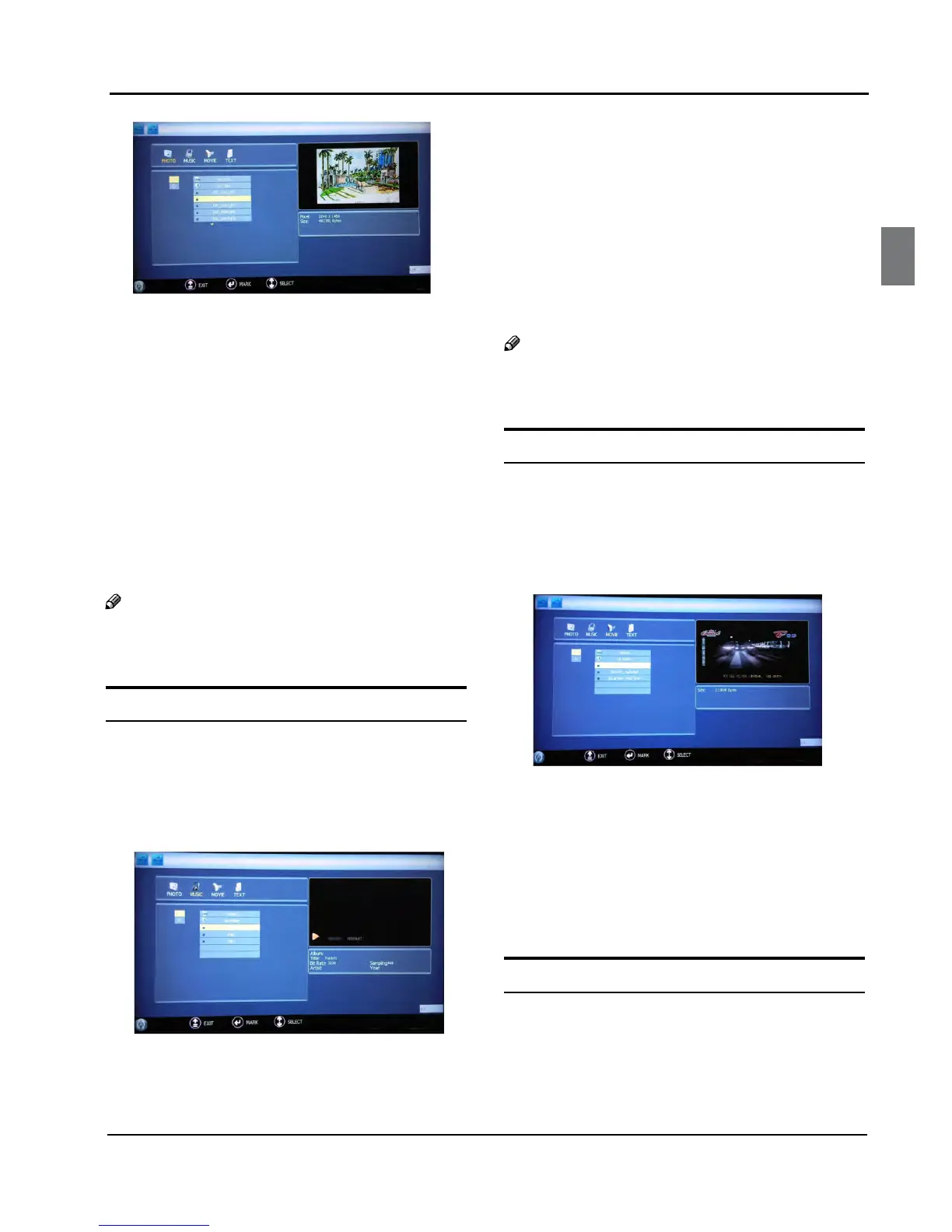
Press C “5/“ to select the picture you want to play,
press ”OK“ to confirm, and then press “PLAY/PAUSE”
button to play the pictures.
If you want to pause the picture which is being
D
palyed, press the PLAY/PAUSE button again.
Press ”ZOOM“ to magnify the picture. When the
picture is enlarged, press “3/“ and “5/“ to
move the picture.
Press “PREV/NEXT“ to select the last or next picture.
Press “5/“ to rotate the picture.
Press “STOP
” to stop the picture being played.
To exit playing, just press “
E BACK” repeatedly.
Note
The menu display varies with the photo name and ❏
pixel in your equipment.
Playing Music
After entering USB main interface, press A “3/“ to
select “MUSIC”.
Press ”
B OK“ to confirm the selection and enter the
music file list.
Press C “5/“ and “OK” button to select the music
you want to play, then press “PLAY/PAUSE“ button
to play the music.
Press “/“ to achieve the REV (fast back) and FWD
(fast forward) of the music being played.
Press “PREV/NEXT “ to select the last or next music.
Press “STOP
“ to stop the music being played,
when the current interface is the music being
played.
To return to the main menu, just press “
D BACK”
repeatedly.
Note
You can enjoy the music and the picture at the ❏
same time.
Playing a Movie
Atter entering USB main interface, press A “3/“ to
select “Movie”.
Press “
B OK” to confirm the selection and enter the
movie file list.
Press C “5/“ and “OK” button to select the movie
you want to play, and then press “PLAY/PAUSE”
button to play the movie.
Press “ZOOM” to magnify the picture.
Press “PREV/NEXT “ to select the last or next movie.
Press “STOP
“ to stop the movie being played.
To exit playing, just press “
D BACK” repeatedly.
Text
After entering USB main interface, press “A 3/“ to
select “Text” .
Press “
B OK” to confirm the selection and enter the
text file list.


 To Next Page