3.2 Stake Out
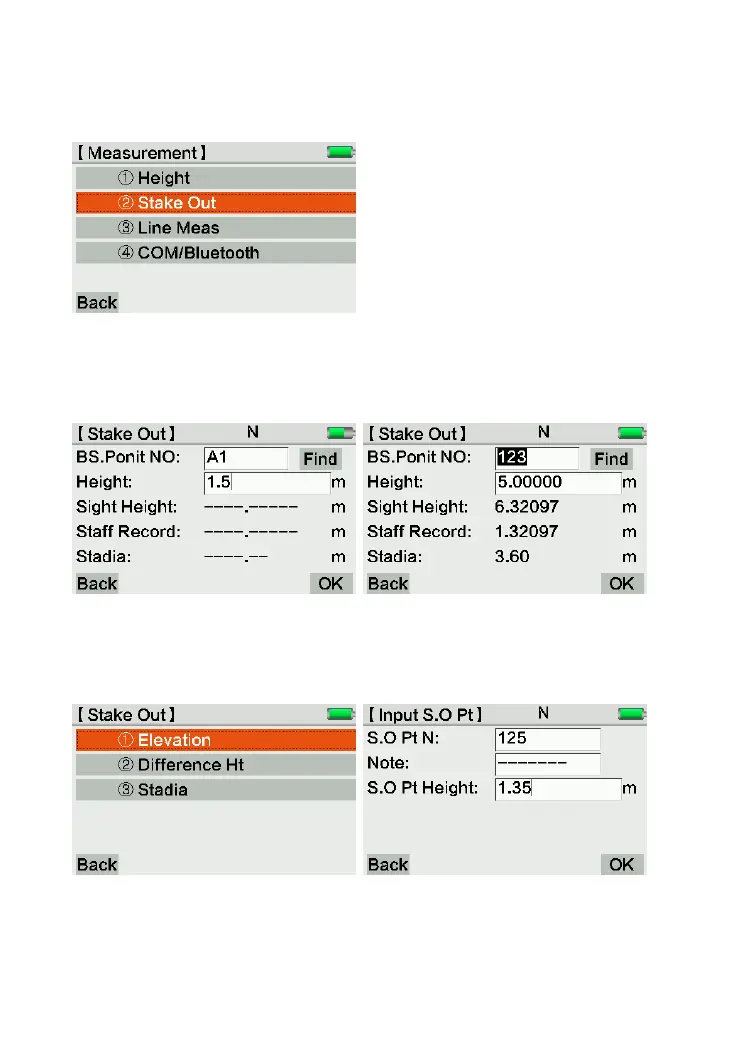
Press [Meas], [Stake Out] to enter the height measurement interface.
Input or search the existed back-sight point and height.
Press Trigger Key to measure this point.
You can choose Elevation, Difference Height or Stadia stake out after press [OK]
If the height is existed in the current job, it will display on the blank of S.O Pt Height
automatically.
Then finish the stake out.



 To Next Page