2. OPERATIONS
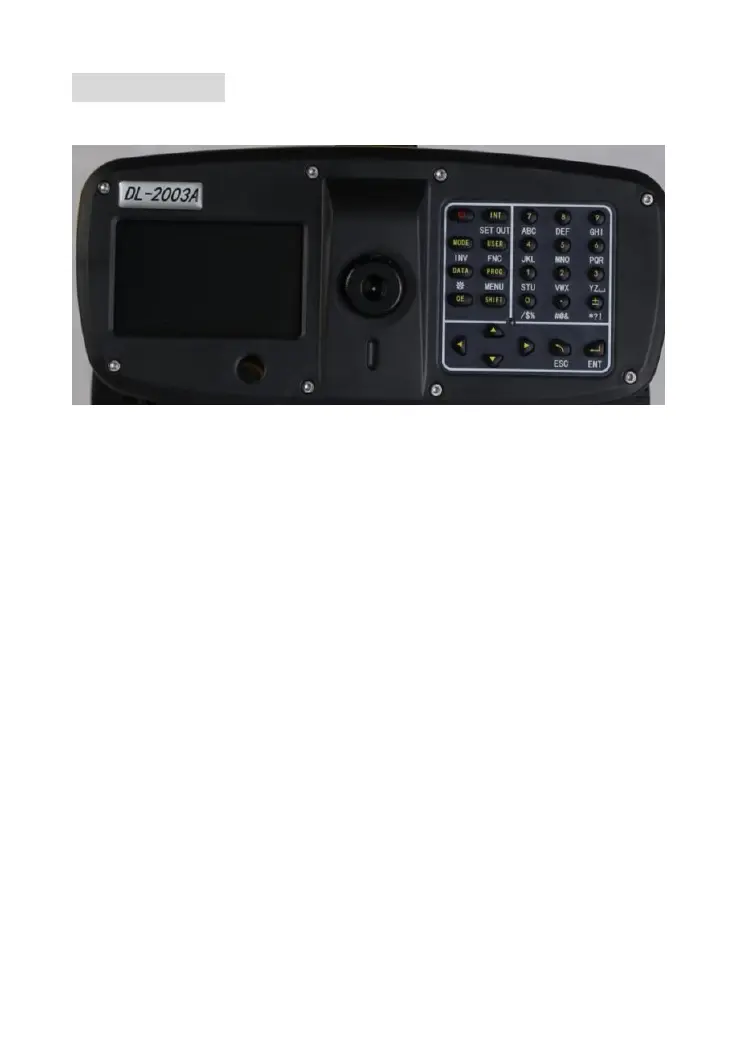
2.1 Operation Keys
Power on: Press [ON/OFF] key shortly
Power off: Hold [ON/OFF] key in 1s
Trigger Key: Press trigger key to start measurement
☞ If you press the keyboard too hard, it might cause the vibration of equipment. The
vibration might influence the compensation and the accuracy for measurement. Users can
improve the stability of measurement by averaging in multiple measurement.
Function Key
[↑↓←→] Navigation key, select correct item by control the cursor
[INT] Switch to point-to-point measurement
[MODE] Set measure mode
[USER] Arbitrarily function key defined by FNC menu
[PROG] Program
[DATA] Data management
[CE] Delete characters
[SHIFT] Switch to the second function key (SET OUT,INV,FNC,MENU,LIGHTING,PgUp,
PgDn) and switch between numbers and alphabet.
[ESC] Exit, cancel or stop the measurement



 To Next Page