4. DATA
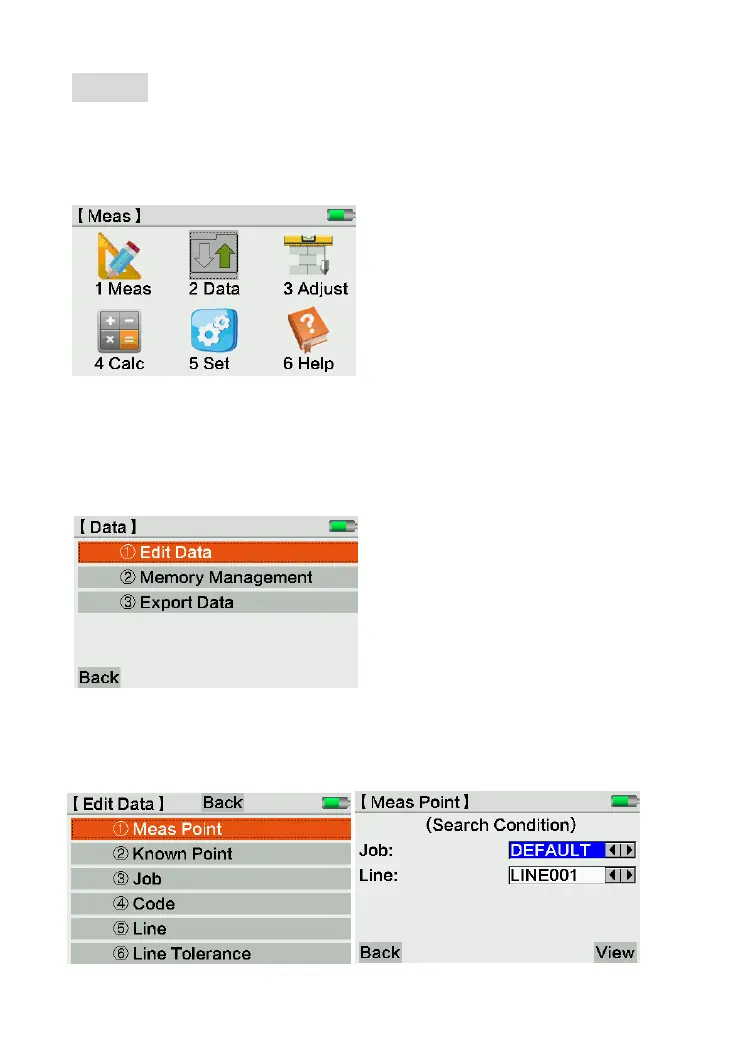
The Data Page can input, edit and copy the data in other format. All the measured data can
seamless export to PC by U-disk or Bluetooth device. Press [2] or click the icon directly to
enter.
4.1 Edit Data
Edit, create, view or delete the data of measure point, known point, job, code, line, line
tolerance. Press [1] or click it on screen to enter edit mode.
4.1.1 Meas. Point
Press [1] or click Meas.Point to enter. Input the line and job name, press [View] to check
the information.



 To Next Page