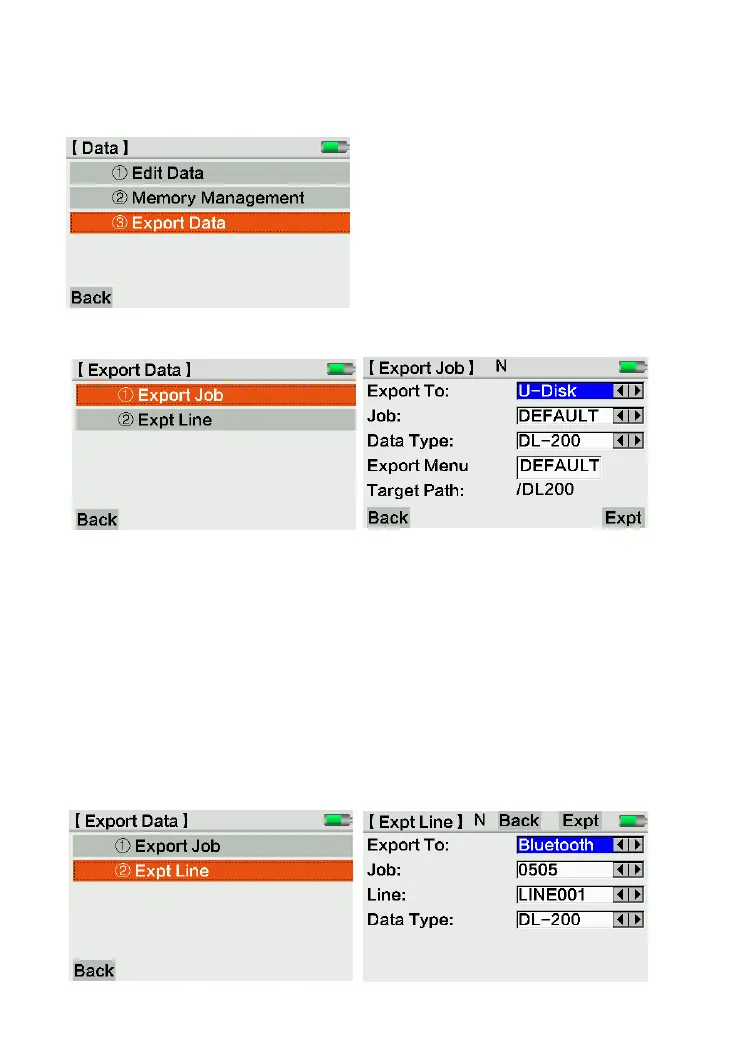
4.3 Export Data
The equipment can export the data by U-disk or Bluetooth device.
4.3.1 Export Job
If export to U-disk, the user should select the job, data type and export menu. Click [Expt]
to confirm and export data. It will create a folder named “DEFAULT” (or the other job name)
under menu “DL200” in U-disk. The data will be included in this folder.
If export to Bluetooth device, the user should search the device at first. Then input the
folder’s name and finish the steps.
Please notice that COMM port is only for remote control, not for data export.
4.3.2 Export Line



 To Next Page