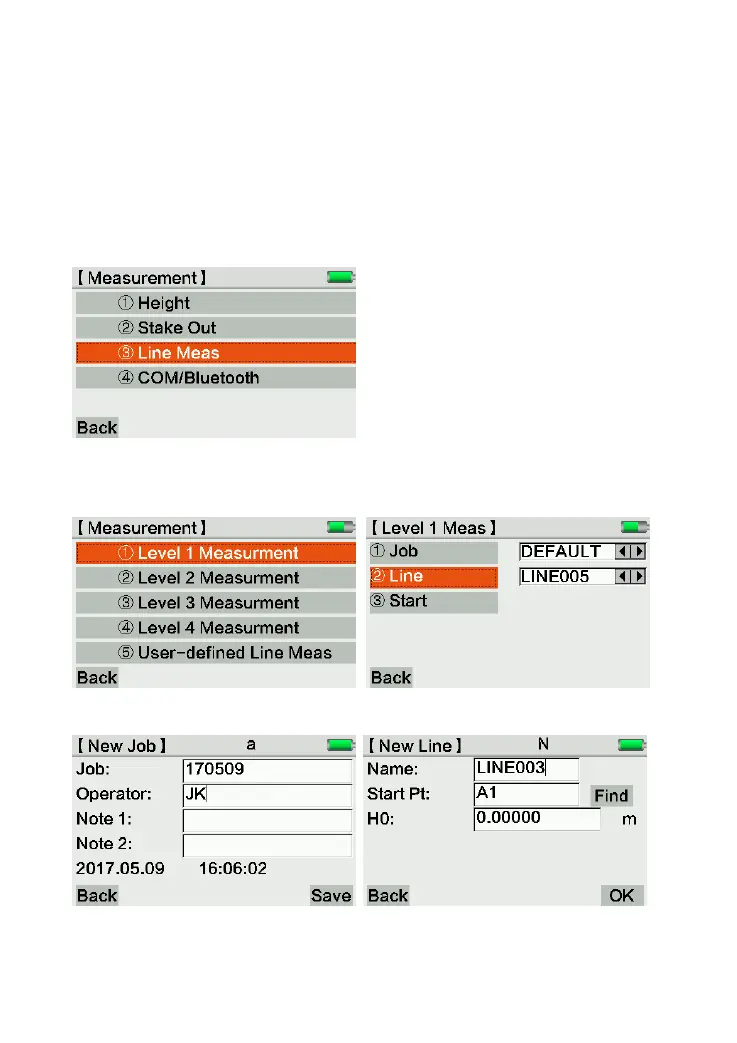
3.3 Line Meas
Press [Meas], [Line Meas] to enter the line measurement interface.
You can enter the sub-menu in following methods:
1) Click the corresponding area to activate
2) Use[↑↓] to move the cursor and press [ENT] to confirm
3) Press numeric keyboard, for example [1] for quick start
The line tolerance has been settled in Level 1-4 Measurement. Use 1. Level 1 Measurement
as an example:
Select Job/Line/Start menu to input the configuration according to the request.



 To Next Page