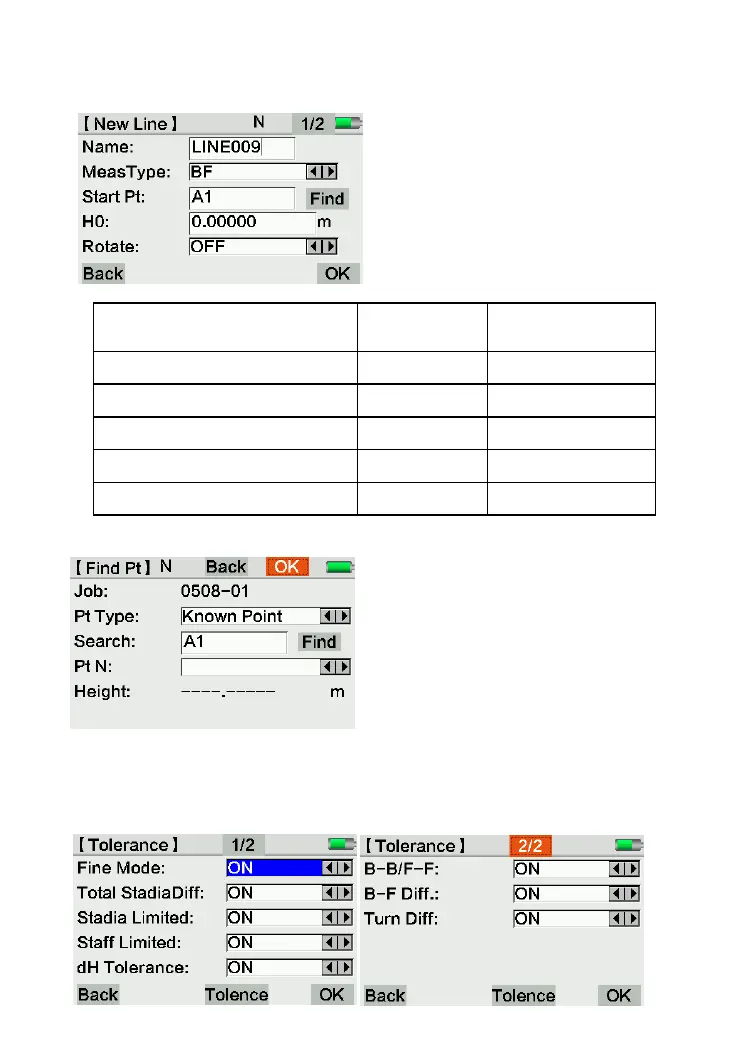
(3) Set the line
Choose 2.Line to create a new line.
Name: Input the line name.
Meas. Type: BF / aBF / BFFB / aBFFB/BBFF
Start Pt: Start point
H0: Height for start point.
After input the name of start point, it will
check whether this point existed. If yes, it can
be selected from the data list.
Pt Type: Known point, or measured point.
Search: Input “*” as a common character to
find all the existed points.
(4) Set the tolerance
Click [3.Tolerance] to activate the tolerance, the equipment will notice the user when
over-range, and the user can re-measure the same point immediately.



 To Next Page