21
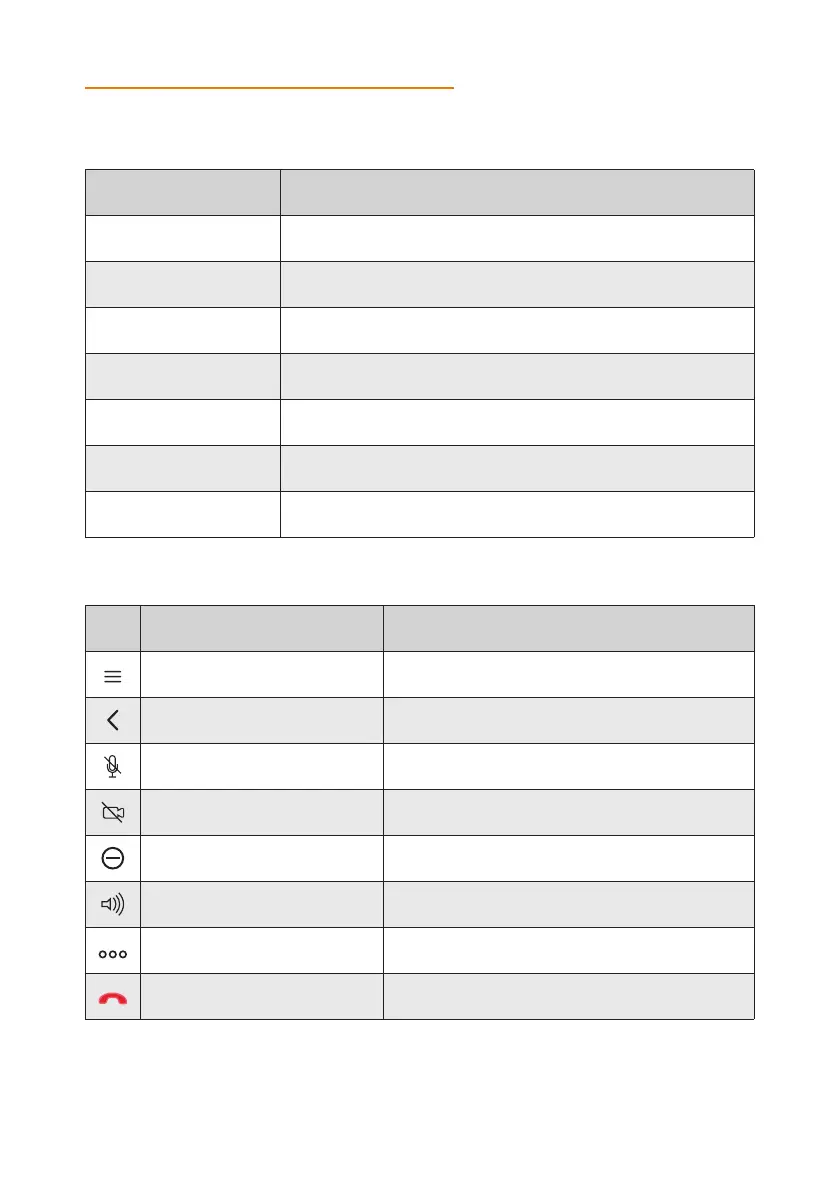
Name Description
Call Starts audio and video calls.
Contacts View, edit, and call contacts.
Calendar View and join meetings scheduled for Konftel CC200.
Control Camera Pan, tilt and zoom in and zoom out the camera.
Recording Record and playback video conferences.
Configure Configure the Konftel CC200 settings.
Apps
View a list of installed applications. You can start the applications
that display in a split portion of the main screen.
NAVIGATION
The lower pane displays the main menu that provides the following features:
The left side of the screen displays a floating bar that provides the following options:
Icon Name Description
Menu Displays the menu options.
Back to previous page
Navigates back to the previous page, the previous
application, or to the Konftel CC200 desktop.
Audio mute Mutes the audio.
Privacy Disables the video.
Do not Disturb Blocks all incoming calls.
Ringing or audio output level Adjusts the ringing or audio volume.
Dial pad Opens the dial pad.
Disconnect Disconnects calls.
Related tasks
Hiding the Konftel CC200 floating dock bar, see page 46


 To Next Page