20
KONFTEL CC200 HOME PAGE
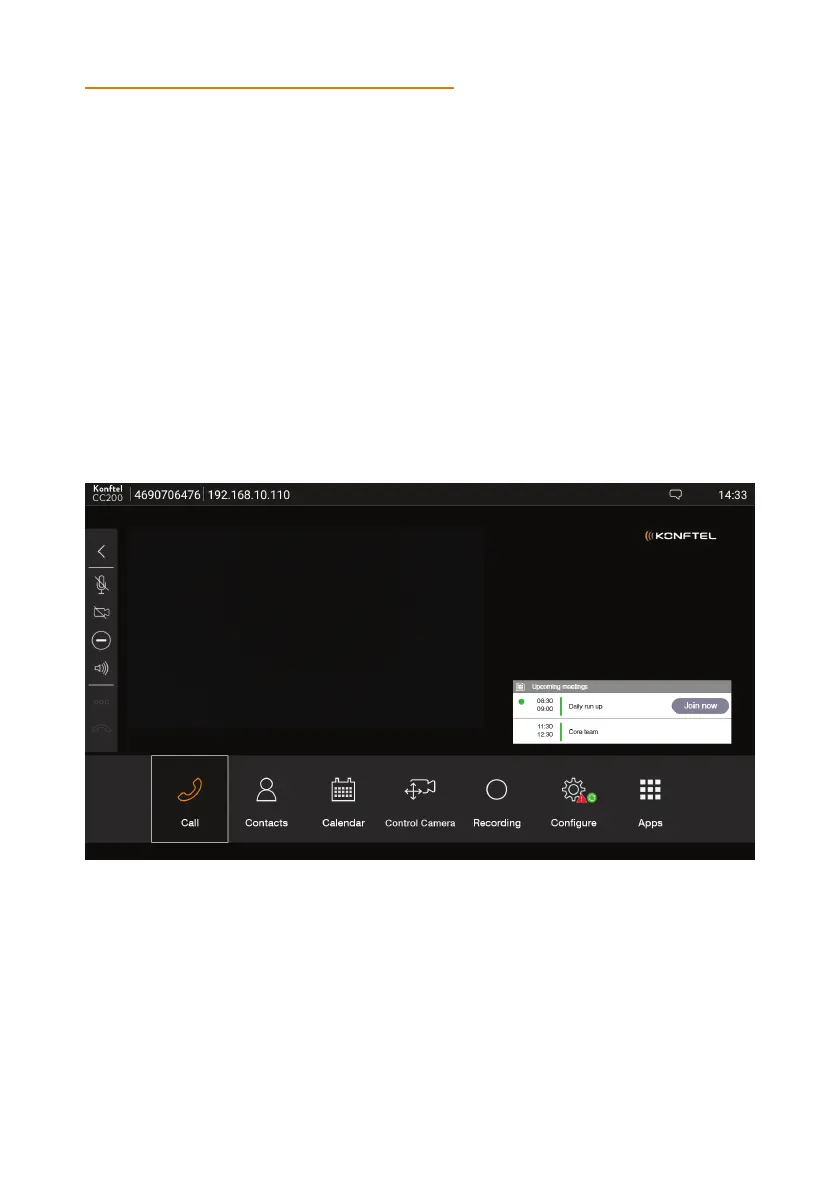
When you switch on Konftel CC200, the endpoint displays the home page. Using the
buttons on the main screen, you can start calls, navigate menus, and configure settings.
When you switch on Konftel CC200 for the first time, the endpoint displays the quick
setup wizard.
The home page header displays the following information:
• The configured system name
• The endpoint IP address
• The SIP or the H.323 number
• The time
NAVIGATION


 To Next Page