34
JOINING MEETINGS FROM THE
KONFTEL CC200 CALENDAR
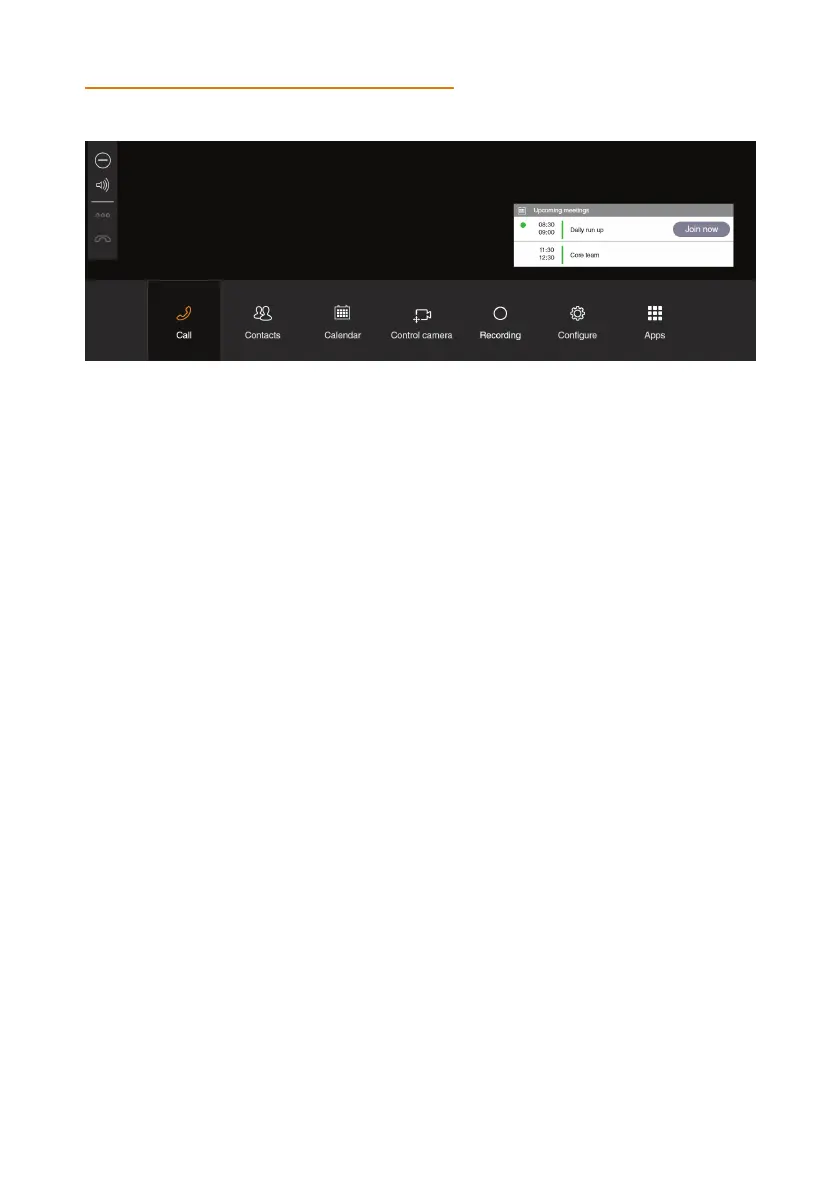
Konftel CC200 displays a pop-up window for meetings that have started with options to:
• Join the meeting.
• Snooze the meeting reminder for one minute.
• Ignore the meeting reminder.
Do one of the following:
• From the endpoint main menu, click Calendar.
• From the web interface, click Make your Call > Calendar.
Click Join Now next to the meeting invitation.
Konftel CC200 displays the Join Now button five minutes before meetings start.
Related concepts
Microsoft Exchange calendar integration, see page 19.
ADJUSTING THE DEFAULT AUDIO VOLUME
Do one of the following:
• From the endpoint, click Configure > Calling.
• From the web interface, click Basic Settings > Call-Answer mode > General.
Drag the Volume slider to adjust the audio volume.
On the web interface, click Save.
OPERATION


 To Next Page