47
KONFTEL CC200 MONITOR DISPLAY FLICKERS
Condition
The monitor displays flickers.
Cause
Incorrect configuration of the Konftel CC200 video resolution.
Solution
Verify that the system administrator configured Konftel CC200 with the correct video
resolution.
Konftel CC200 supports only 720p, 1080p, and ultra HD monitors.
KONFTEL CC200 MONITOR DISPLAY IS BLANK
Solution
Disable the CEC feature of the monitor.
Verify that:
• The power cable of Konftel CC200 is connected properly.
• The power cable of the monitor is connected properly.
• The HDMI cable between Konftel CC200 and the monitor is connected properly and
the monitor is switched on.
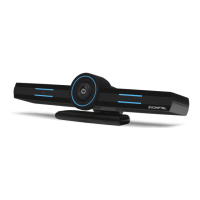
• The LEDs around the Konftel CC200 camera are lit.
KONFTEL CC200 REMOTE CONTROL UNIT DOES NOT WORK
Solution
Pair the remote control unit with Konftel CC200 again.
TROUBLESHOOTING


 To Next Page