E-19
Preparation
Connecting the AC Adapter
M
emo
Use of the AC adapter (AC-A17) rather than batteries is recommended, since more power will be required when the
external output terminal is used to output data to an external device or print it.
Note
• To supply AC power to the instrument, always use the AC adapter (AC-A17) supplied with the instrument.(Rat-
ed: 5 V, 2.8 A)
• Before connecting or removing the AC adapter, make sure that power is turned OFF.
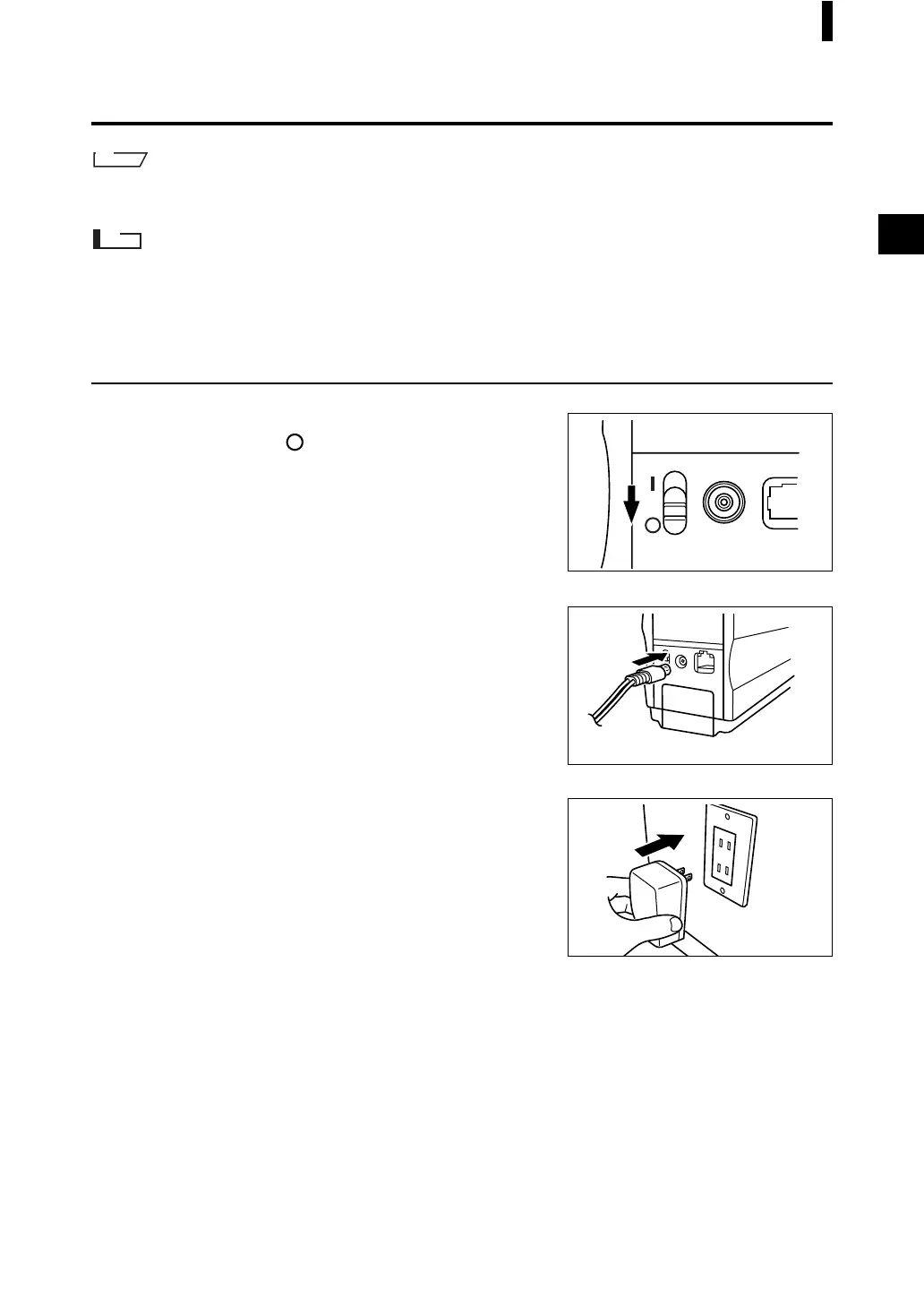
[Operating Procedure]
1
Make sure that power is OFF (i.e. the power
switch is set to “ ”).
2
Connect the AC adapter’s connector plug to
the AC adapter terminal on the rear of the in-
strument.
3
AC outlet
Insert the AC adapter’s power plug to an AC
outlet (100-240 VAC, 50-60 Hz).



 To Next Page
 Loading...










