E-72
Displaying the Measurement Results
Deleting Measured Data
There are two methods of deleting measured data. One is to delete the data items displayed on the LCD
one by one. The other is to delete all the data items for the selected measurement condition (COND1 to
COND6).
Deleting Data One by One
Data currently displayed on the LCD can be deleted.
This can be done in the measurement screen.
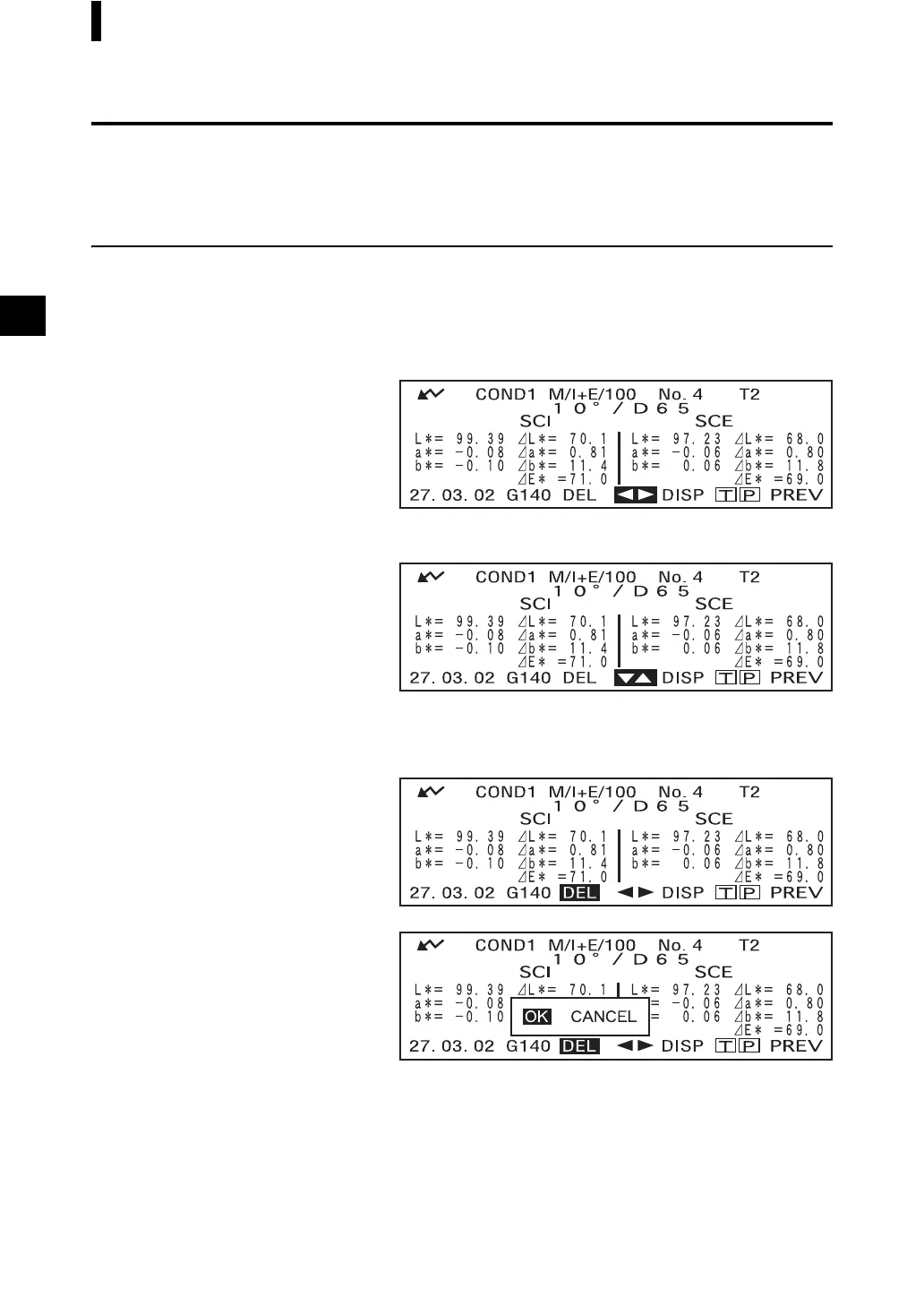
1. Turn B to select “D”, and then press A.
“D” will change to “E”.
2. Turn B to select the data to be deleted, and then press A.
“E” will return to “D”.
• Keeping B held down to left or right will cause the preset data No. (No.
*
) to change continuously.
3. Turn B to select “DEL”, and then hold down A for more than one second.
A confirmation message will appear.
4. To delete the data, select “OK” with B and press A. The selected data will be
deleted, and the data below the delected one will scroll up.
To cancel deletion, select “CANCEL” with B and press A. Deletion of the data
will be canceled, and the previous screen will reappear.



 To Next Page
 Loading...










