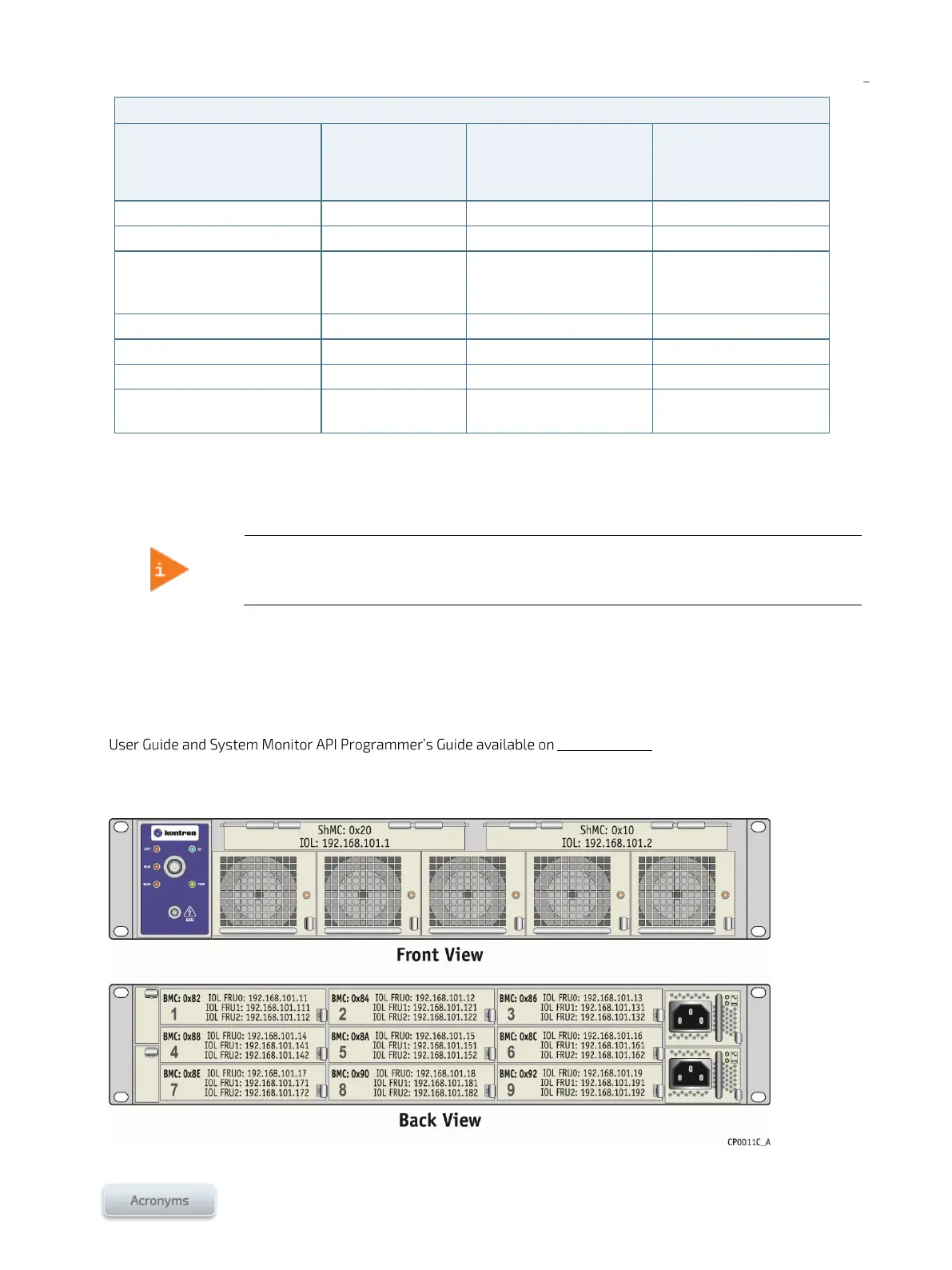
This section describes the default IP addresses and the various interfaces of the platform.
For instructions on how to access an interface using a specific path, refer to Section 2/. For
the serial console connection refer to Section 3.1.
The IOL IP address of the specific component to connect to may be required when using certain paths. The IP address
of external entities must be in the same subnet as that of the SYMKLOUD components as no default gateway is
configured. The default IOL IP addresses are shown in the following figures.
The SYMKLOUD platform comes with a System Monitor (SM). The SM includes a Web user interface and a
programmatic API to access system components, including its ShMC and MSP nodes. Refer to the System Monitor
Symkloud.com for more information on these
interfaces.
Figure 12: Default IP addresses of an MS2900 platform



 To Next Page