MSH8900
www.symkloud.com // 52
3.6.2. Rear Uplinks
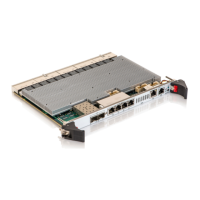
When 1 or 2 rear uplink modules (MSU8700) are installed, 10GbE connections can be established from the back of the
platform.
To toggle uplinks from front to rear:
Not possible through a Web interface
To toggle the SFP+ uplinks of the hub located in the leftmost
slot to uplink 1:
ipmitool> raw 0x3e 0x20 0xC0 0x01
To toggle the SFP+ uplinks of the hub located in the rightmost
slot to uplink 2:
ipmitool> raw 0x3e 0x20 0xC5 0x01
To perform a power cycle for the change to take effect, the hub
must be in standby mode (blinking green LED on hub). Refer to
Table 15 for a description of LED statuses:
ipmitool> power cycle
3.7. Configuring MSP Node Connection Speed (Chassis Slots 7 and 9) (MS2900 with
MSP8001 Only)
To reconfigure hub connection speeds for an MSP8001 node installed in chassis slot 7 or 9:
Click on Platform
In the section Switch Speed, change the speed of
the slot
Click on Save Changes
Perform a switch reboot.
To display current speed:
ipmitool> raw 0x3e 0x21 <ShMC No.>
To set a new speed:
ipmitool> raw 0x3e 0x20 <ShMC No.> <ShMC
fabric link speed>
ipmitool> power reset
This configuration is required only if you replace an
existing MSP node installed in slot 7 or 9 with
another MSP node that does not have the same
speed configuration, e.g. an MSP node with a 10GbE
connection is installed in lieu and place of an MSP
node supporting only 1GbE connections.
When no MSP nodes is installed, the default
configuration applies.



 To Next Page