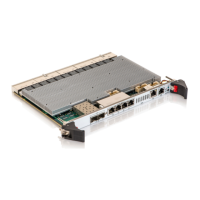
MSH8900
www.symkloud.com // 41
3.2.2.2. Configuring SSH
SSH is enabled by default. To disable SSH access:
Switch CLI (serial, SSH, SOL)
Configuration > Security > Switch > SSH
Select Disabled
Click Save
# configure terminal
(config)# no ip ssh
3.2.2.3. Configuring SNMP
To enable and configure SNMP:
Switch CLI (serial, SSH, SOL)
Configuration > Security > SNMP > System
Proceed with configuration
Click Save
# configure terminal
(config)# snmp-server ?
A list of possible configuration commands
appears
Proceed with configuration
3.2.3. Accessing the Switch and Configuration Mode
Switch CLI (serial, SSH, SOL)
To access the Switch Web UI from a web browser:
Enter the IP address configured for the switch
(Table 18) in the URL field of the browser
Press Enter
Log in (default credentials: admin/admin)
To configure the switch:
Click on Configuration to display the configuration
menus
To access the CLI from a serial, SSH or SOL session:
Open a terminal emulator such as PuTTY (serial) or
an SSH connection or an SOL session
Press Enter
Log in (default credentials: admin/admin)
To enter configuration mode:
# configure terminal
(config)#
3.2.4. Managing the Switch Configuration
To save your configuration into non-volatile memory and make your changes permanent:
Switch CLI (serial, SSH, SOL)
Maintenance > Configuration > Save startup-
config
Click Save Configuration
# copy running-configuration startup-config



 To Next Page