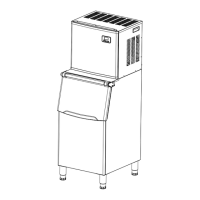
What to do if the “ ” indicator is on for my KoolMore Ice Maker?
- DDonna RossAug 15, 2025
If the “ ” indicator is illuminated on your KoolMore Ice Maker, it means that the ice storage bin is full. Simply remove some of the ice cubes to resolve this.
What to do if the “ ” indicator is on for my KoolMore Ice Maker?
If the “ ” indicator is illuminated on your KoolMore Ice Maker, it means that the ice storage bin is full. Simply remove some of the ice cubes to resolve this.
Why is the whole “ ” symbol always on my KoolMore HZB-160F Ice Maker?
The continuous illumination of the “ ” symbol on your KoolMore Ice Maker indicates a problem with the water supply. This could be due to several reasons: * Insufficient main water supply pressure. * A blocked water supply hose. * The floating ball of the water level detecting switch may be blocked. * The unit is not level, causing water to flow out. * The water drainage cap is not installed correctly. To resolve this, check the main water supply pressure, clear any blockages in the water supply hose, and ensure the unit is placed on a level surface. Also, verify that the water drainage cap is correctly installed. You may also need to clean the water tank and the water level detecting switch.
What to do if my KoolMore Ice Maker cycle is normal, but no ice is produced?
If your KoolMore Ice Maker completes its cycle but doesn't produce ice, it could be due to a few reasons. The ambient temperature or the water temperature in the tank might be too high. Move the unit to a location where the temperature is below 90°F and use cooler water. Alternatively, there may be a refrigerant leak or a clog in the cooling system tube, which would require a qualified technician to service.
Why are the ice cube shapes irregular in my KoolMore Ice Maker?
Irregular ice cube shapes in your KoolMore Ice Maker can be caused by poor water quality or a dirty water tank. Try cleaning the water tank and replacing the water. Also, check the water dividing pipe for any blockages and ensure all nine holes are clear.
Why are the ice cubes very thin in my KoolMore Ice Maker?
Thin ice cubes in your KoolMore Ice Maker are often caused by a high ambient temperature. Try moving the unit to a cooler location or lengthening the ice-making cycle. Inadequate air circulation around the unit can also contribute to this issue. Ensure there is at least 20CM of space between the back and front of the unit and any obstructions.
What to do if my KoolMore HZB-160F starts the ice making process, but no water flows in and the “ ” symbol is on?
If your KoolMore Ice Maker starts the ice-making process but no water flows in, and the “ ” symbol is illuminated, it indicates an issue with the water supply. Check the main water supply pressure and inspect the water supply hose for any blockages. Increase the water pressure or clean the hose if necessary.
Why is the ice cube transparency not very good in my KoolMore HZB-160F Ice Maker?
The transparency of ice cubes from your KoolMore Ice Maker may be poor due to bad water quality. Try changing the water supply or using a water filter to soften or filter the water.
What to do if the water pump is working, but no water flows out from the water dividing pipe in my KoolMore HZB-160F?
If the water pump in your KoolMore Ice Maker is running but no water is coming out of the dividing pipe, the small holes on the pipe are likely blocked. You should clean these holes to restore water flow.
Why is the ice cube too thick in my KoolMore HZB-160F?
If the ice cubes produced by your KoolMore Ice Maker are too thick, it is likely due to a low ambient temperature. Try reducing the duration of each ice-making cycle.
Details on electrical safety, grounding, and wire color codes for proper connection.
Provides detailed measurements and connection points for the ice maker unit.
Details electrical ratings, capacity, refrigerant, and operating conditions.
Illustrates and lists the main components of the ice maker unit.
Details the parts involved in the ice-making and water tank system.
Describes the controls, buttons, and LCD display functions of the ice maker.
Instructions for removing packaging, checking accessories, and initial cleaning.
Steps for assembling the main components, including attaching adjustable feet and placing the unit.
Guidelines for proper placement, clearances, temperature, and ventilation for the ice maker.
Details on grounding, power supply voltage, and proper wiring connections.
Steps to clean the ice maker thoroughly before its initial operation.
Guide to connecting the water supply hose and drain pipe to the unit.
Step-by-step guide on starting the ice making cycle and monitoring its progress.
Instructions on how to modify the ice thickness setting using control panel buttons.
Procedures for setting automatic shutdown timers and cancelling timing functions.
Details on initiating and managing the automatic self-cleaning function of the ice maker.
Schematic illustrating the electrical connections and components of the ice maker.
Description of common sounds the ice maker may produce during operation.
Steps to properly prepare the ice maker for extended periods of non-use.
Important warnings and guidelines before performing cleaning or maintenance operations.
Instructions for cleaning the external surfaces of the ice maker.
Steps for sanitizing and cleaning the ice storage bin.
Guide to periodic cleaning of key components within the ice making system.
Detailed instructions for cleaning the ice making system using a specific cleaner.
Recommendations for daily, semi-monthly, and semi-annual cleaning tasks.
Common problems, their possible causes, and solutions for the ice maker.
Explanation of error codes displayed on the unit and their meanings.
Information and instructions for the environmentally responsible disposal of the product.
Details on electrical safety, grounding, and wire color codes for proper connection.
Provides detailed measurements and connection points for the ice maker unit.
Details electrical ratings, capacity, refrigerant, and operating conditions.
Illustrates and lists the main components of the ice maker unit.
Details the parts involved in the ice-making and water tank system.
Describes the controls, buttons, and LCD display functions of the ice maker.
Instructions for removing packaging, checking accessories, and initial cleaning.
Steps for assembling the main components, including attaching adjustable feet and placing the unit.
Guidelines for proper placement, clearances, temperature, and ventilation for the ice maker.
Details on grounding, power supply voltage, and proper wiring connections.
Steps to clean the ice maker thoroughly before its initial operation.
Guide to connecting the water supply hose and drain pipe to the unit.
Step-by-step guide on starting the ice making cycle and monitoring its progress.
Instructions on how to modify the ice thickness setting using control panel buttons.
Procedures for setting automatic shutdown timers and cancelling timing functions.
Details on initiating and managing the automatic self-cleaning function of the ice maker.
Schematic illustrating the electrical connections and components of the ice maker.
Description of common sounds the ice maker may produce during operation.
Steps to properly prepare the ice maker for extended periods of non-use.
Important warnings and guidelines before performing cleaning or maintenance operations.
Instructions for cleaning the external surfaces of the ice maker.
Steps for sanitizing and cleaning the ice storage bin.
Guide to periodic cleaning of key components within the ice making system.
Detailed instructions for cleaning the ice making system using a specific cleaner.
Recommendations for daily, semi-monthly, and semi-annual cleaning tasks.
Common problems, their possible causes, and solutions for the ice maker.
Explanation of error codes displayed on the unit and their meanings.
Information and instructions for the environmentally responsible disposal of the product.