Basic operations
9
Basic operations
About modes
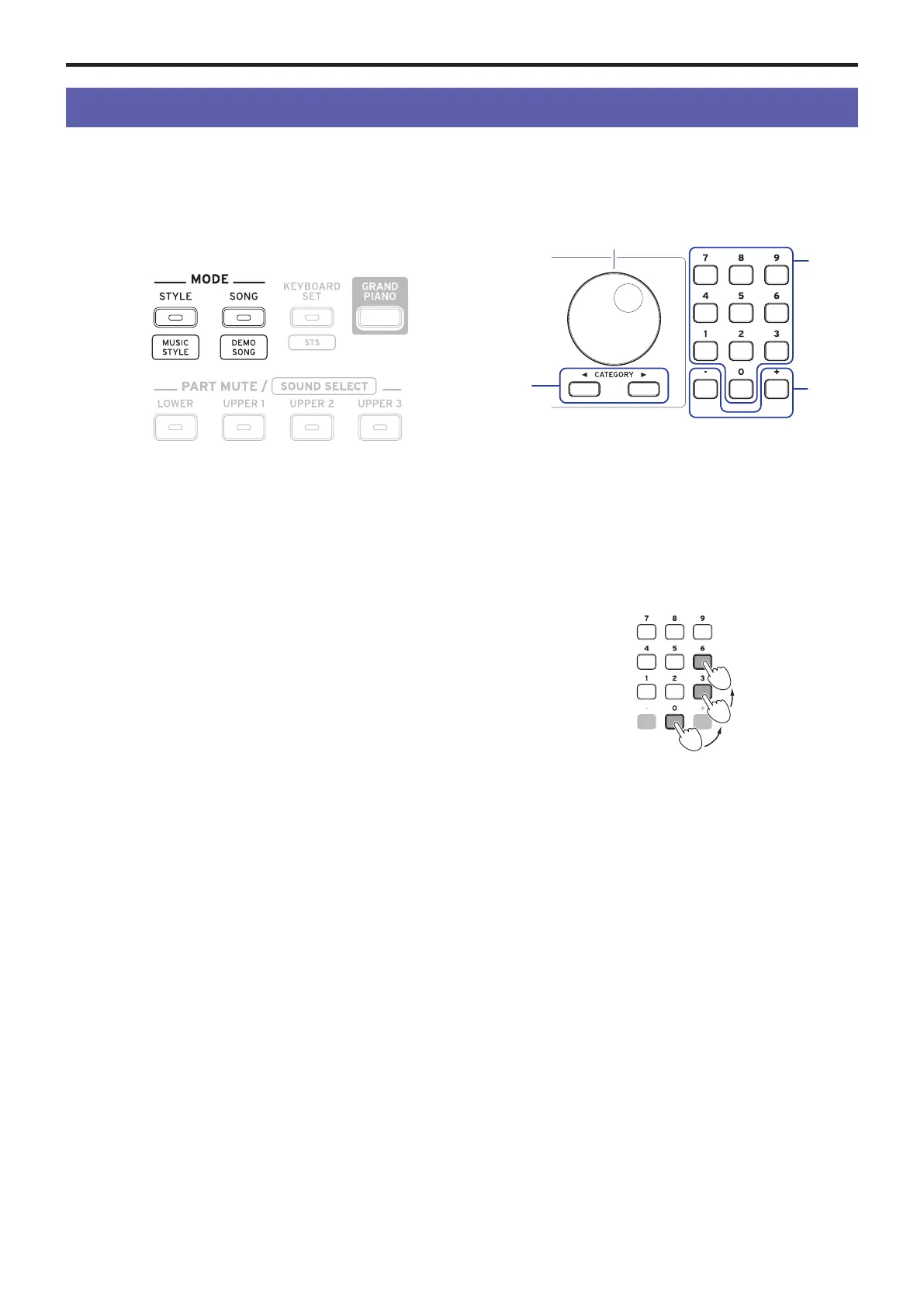
The EK‑50 features two dierent modes, a style mode and a
song mode.
Press the appropriate MODE section buon on the front panel
to enter one of the modes.
When turning on the EK-50, the instrument will automatically
enter style mode.
Style mode
Style mode lets you select a sound in this instrument and play
it together with another sound you like on the keyboard, as
well as play along with auto-accompaniment (style). You can
also record your playing when using the auto-accompaniment
function.
Song mode
In song mode, you can play back demo songs and user songs as
well as music data les (MP3, WAV and SMF), and play along
with them. You can also edit the user songs easily.
Other functions
SETTING functions
These functions include global seings for the instrument like
keyboard touch, master tune, scale, pitch bend variable range
and so on. There are also seings for pedals that you connect, as
well as MIDI‑related seings.
MEDIA functions
These functions are for saving or loading set lists to/from USB
ash drives, as well as for saving user songs. This also includes
functions for formaing USB ash drives and for system
updates.
Selecting sounds and changing values
Use the dial, the numerical buons, the + and – buons and
the CATEGORY buon when selecting sounds or changing the
values of the seings.
1.
Dial
This is used to change numbers and values.
Turn the dial clockwise to increase the value, and turn the
dial counter‐clockwise to decrease the value.
2.
Numerical buons
Use these buons to directly input numbers and values on
the EK-50.
To input a two-digit number using the three-digit display
(for example, “36”), press “0”, “3” and “6”.
3.
+ and – buons
• Press either the + or – buon once to increment or
decrement a number.
• Hold down the + or – buon to continually change the
number.
4.
CATEGORY buons
t
,
u
When you press the CATEGORY buon to select a style,
keyboard set, sound and so on in style mode or song mode,
the rst digit of the number group corresponding to the
category or genre will be selected.
When using the SETTING or MEDIA functions, press the
CATEGORY buon to select a page.
1
2
4
3



 To Next Page