Quick start
19
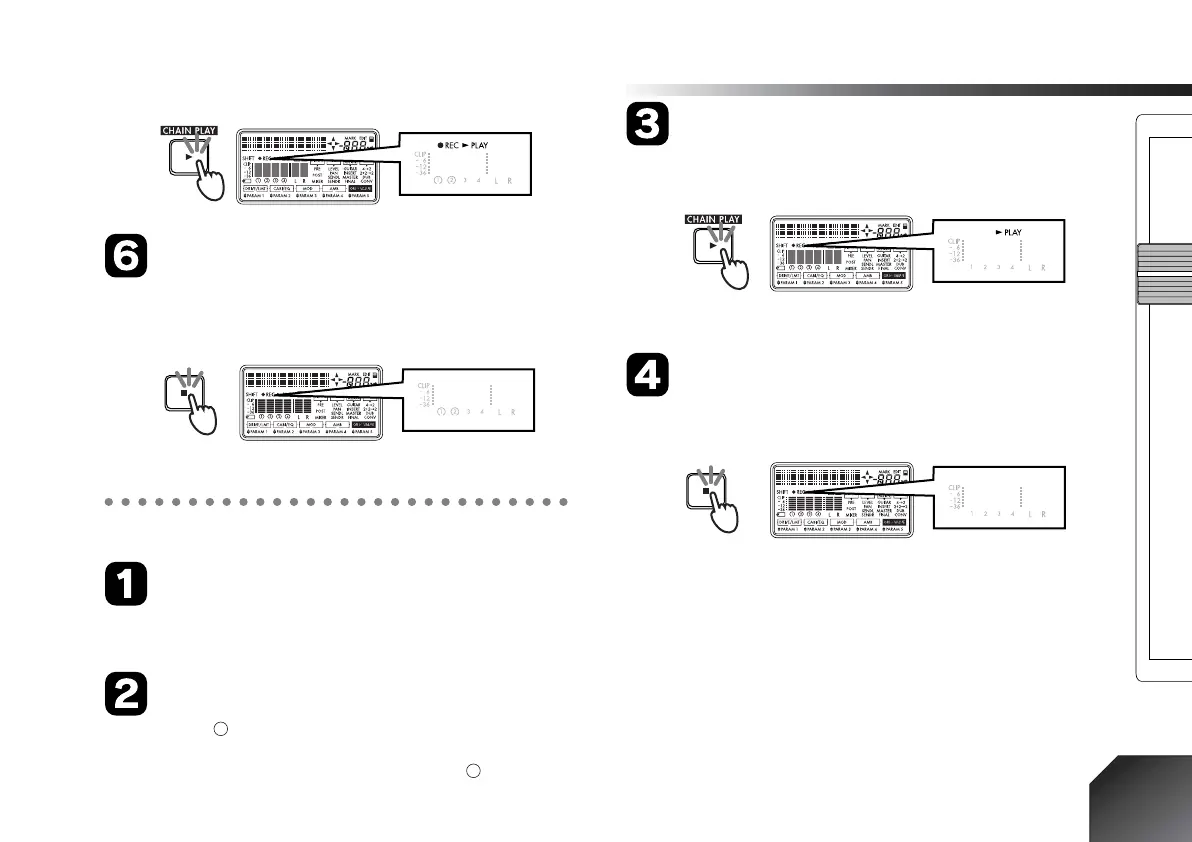
Press the [STOP] key
When you have finished playing, press the [STOP]
key. Recording will stop, and the “REC” icon will dis-
appear.
5. Playback (→p.31)
Press the [REW] key
The counter time will move to the beginning of the
song.
Defeat the recording track
If the “ ” symbol is displayed for the recording track
number you specified in “4. Record,” press the [REC
SELECT] key for that track to erase the “ ” symbol.
Press the [PLAY] key
Playback will begin. During playback, the “PLAY”
icon will be lit.
Use the [MASTER] fader to adjust the volume.
Press the [STOP] key
To stop playback, press the [STOP] key. Playback will
stop, and the “PLAY” icon will go dark.






 To Next Page